88/148
M15 Camera Manual: Installation
© MOBOTIX AG • Security-Vision-Systems • Made in Germany
www.mobotix.com • sales@mobotix.com
5.
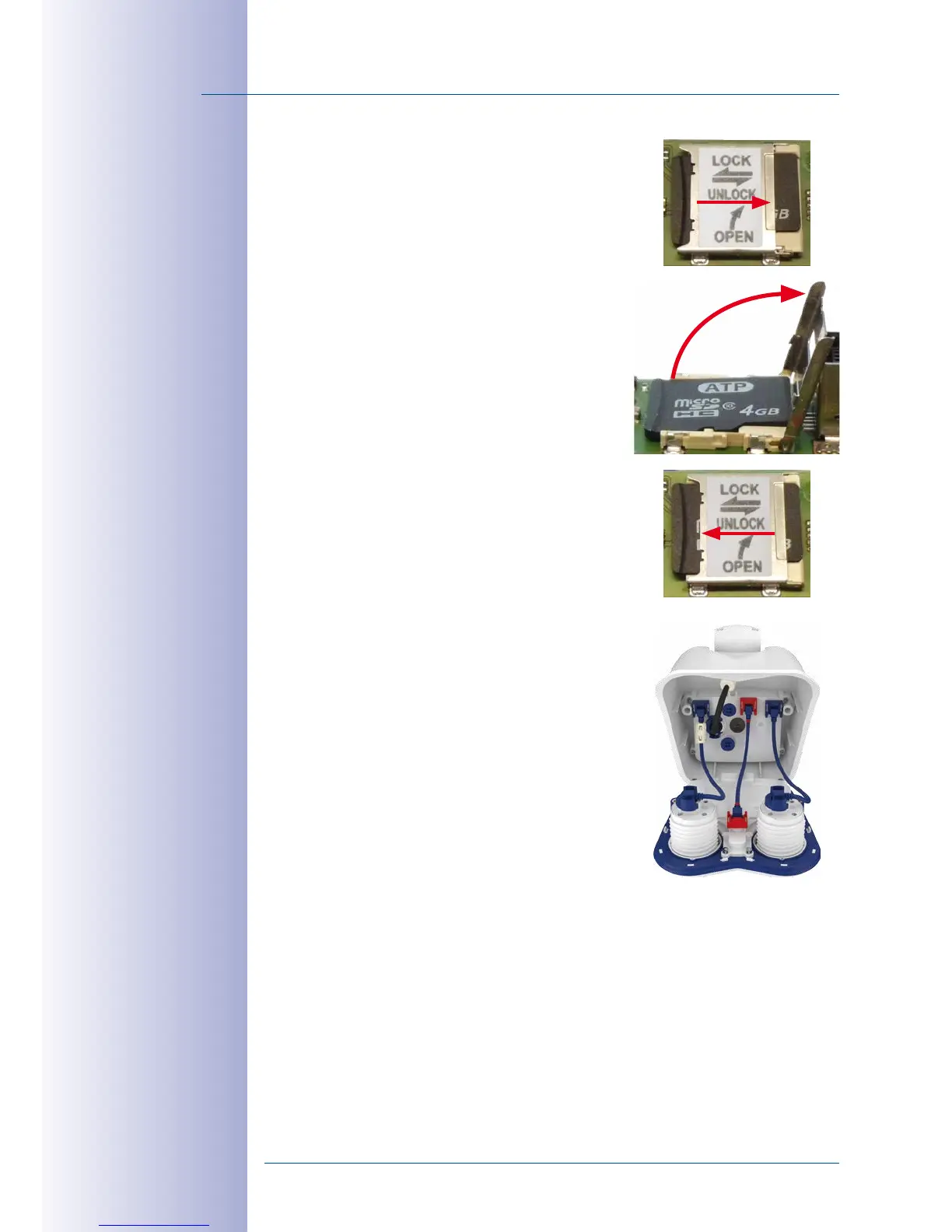
Unlock MicroSD card
:
Carefully
slide the metal
latch to the right (using your fingernail).
6.
Remove the MicroSD card
: Lift the metal latch
upwards and to the right and remove the SD card.
7.
Insert and lock the MicroSD card
: Insert the
MicroSD card and close the metal latch. Gently
slide the metal latch (using your fingernail) back
to the left to lock the MicroSD card.
8.
Attach inner cover
: Attach inner cover, tighten Allen
screws and replace the connection cables.
9.
Close camera housing:
Close the camera housing
as described in
Section 2.2.8
, then reconnect the
power supply.
10.
Activate recording
: If you have inserted a MicroSD card that has already been
MxFFS formatted, you can activate recording under Admin Menu > Storage on
External File Server/Flash Device. Once the camera has been rebooted, it automati
-
cally activates recording.
11.
Format MicroSD card
: If a new MicroSD card is used, it must be formatted before
use as described in
Section 3.5.2, «Formatting the MicroSD Card»
.



 To Next Page