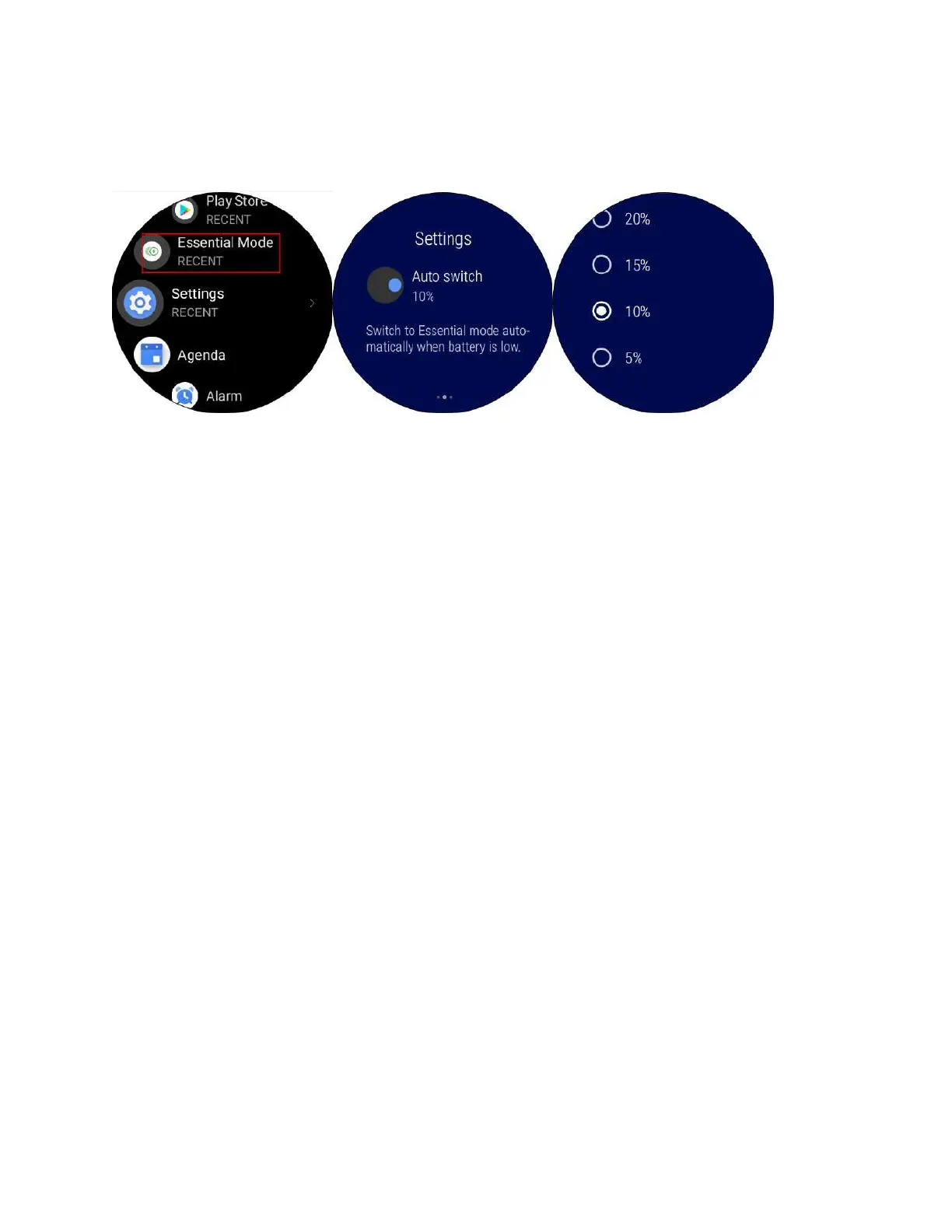
2. Tap Essential mode > Auto switch to set up auto switch condition. Essential
mode will automatically turn off when battery life reaches xx%.
15. Q: How to Turn on Sleep Tracking
( Only for Ticwatch Pro and Ticwatch
Pro 4G at this moment, this will be
available on S2 and E2 at a later date)
A:
1. Open the Play store on your watch to download the TicSleep app



 To Next Page