18. 3p apps:
18.1 Strava
Strava - 1.Preparation
Download Strava in Watch Google Play Store (search ‘strava’ in watch Play store)
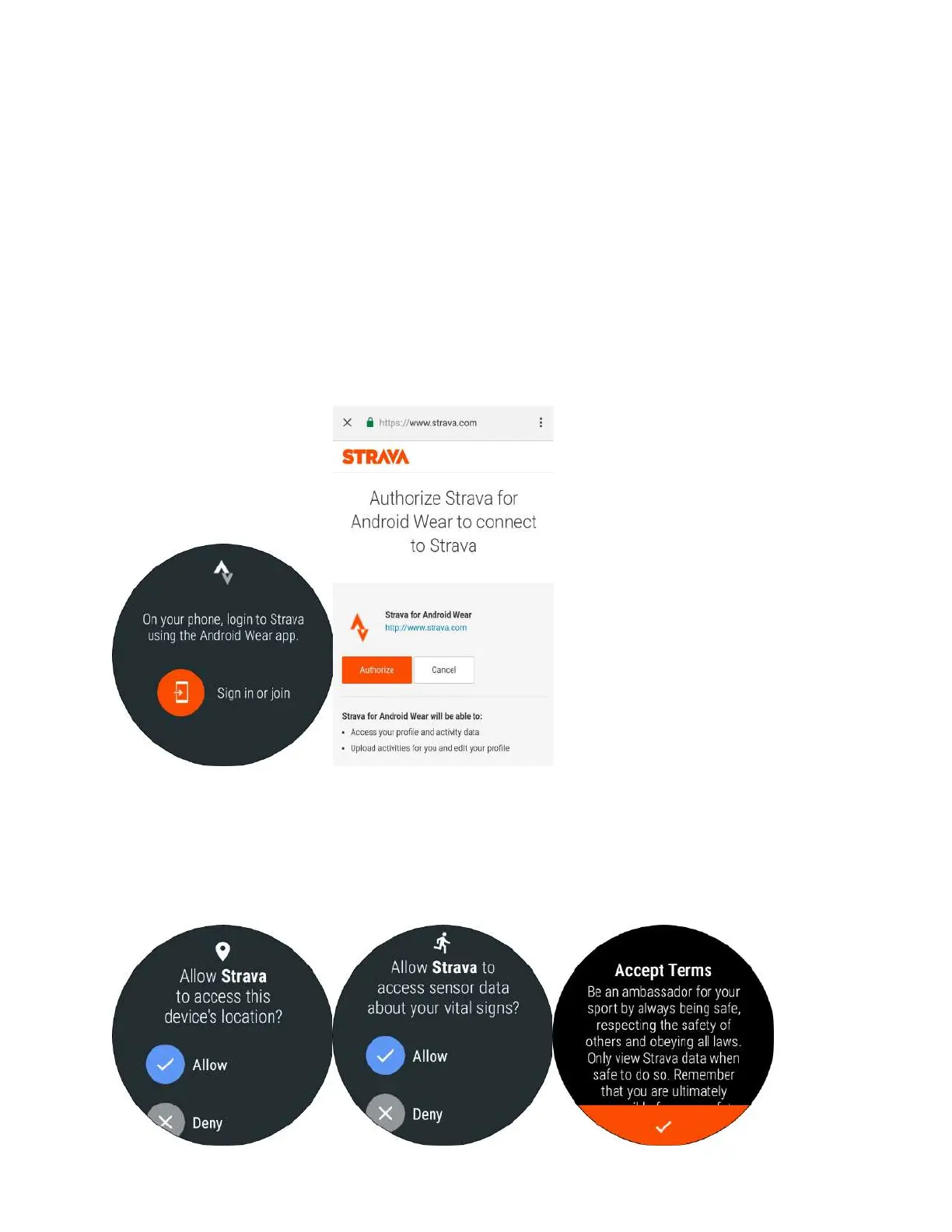
Open Strava app on watch and tap ‘sign in or join’
Go to phone to check the pic, you have to log in to the Strava in the process
Strava - 2.Permissions & Terms
After the authorization, open the phone app, and allow the [location]
and [sensor data] permission. And you have to accept terms then.



 To Next Page