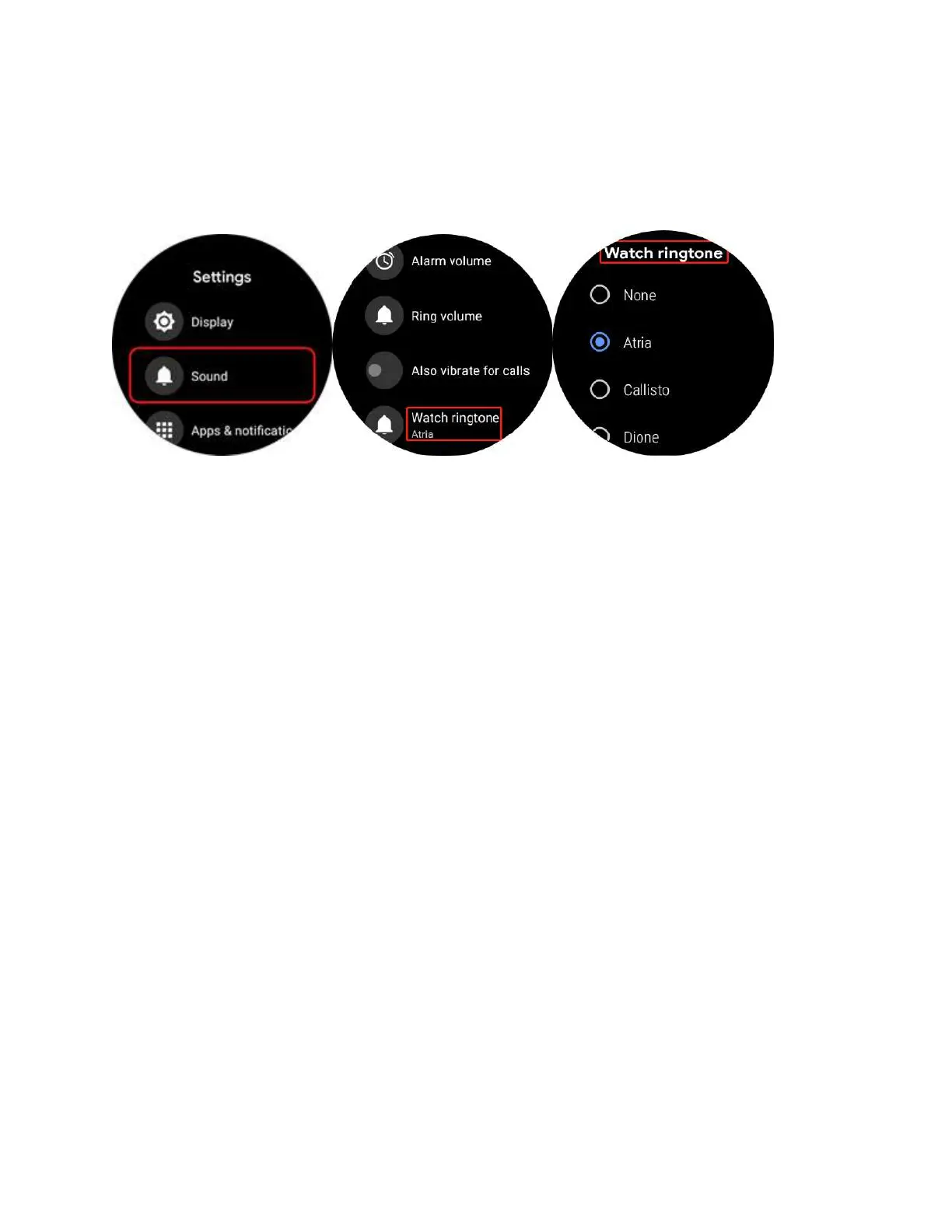
4. Click into “Watch Ringtone” and you are able to choose your preference from a
variety of sounds as watch ringtone. (Note: Make sure your “Ring volume” is not
“0” so you can hear the ringtone)
9. Q: How to set up vibration pattern?
A:
1. Please enter the main menu by pressing the upper button.
2. Go to “Settings”--”Apps & notifications”-- “Vibration pattern”
3. You would be able to adjust the vibration pattern respectively for Alarm, Ring
etc. Ticwatch supports three vibration modes: Normal, Long, Double.(Note:The
Long mode persists vibrating longer than Normal mode. If you want strong
vibration notification, please try to set Long mode vibration.)
4. If you want to switch off vibrations, you could drop the screen on the interface
of watchface and select the icon of undisturbed mode.



 To Next Page