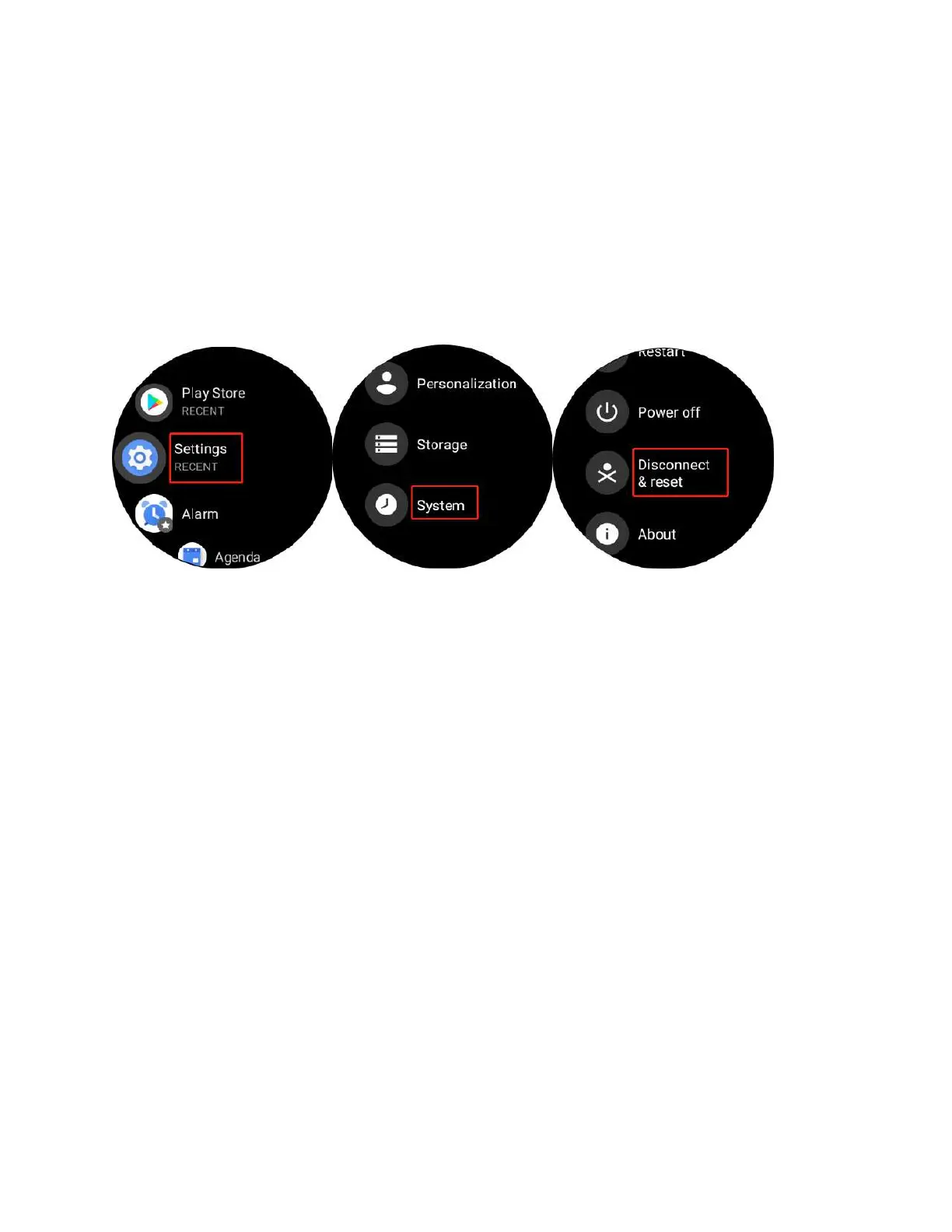
7. Q: How to factory reset your watch?
A:
1. Please enter the main menu by pressing the upper button.
2. Go to “Settings”--”System''--” Disconnect & reset”
8. Q: How to adjust “Sound”?
A:
1. Please enter the main menu by pressing the upper button.
2. Go to “Settings”-- “Sound”
3. You would be able to adjust the sound volume respectively for Media, Alarm and
Ring.



 To Next Page