| 20 |
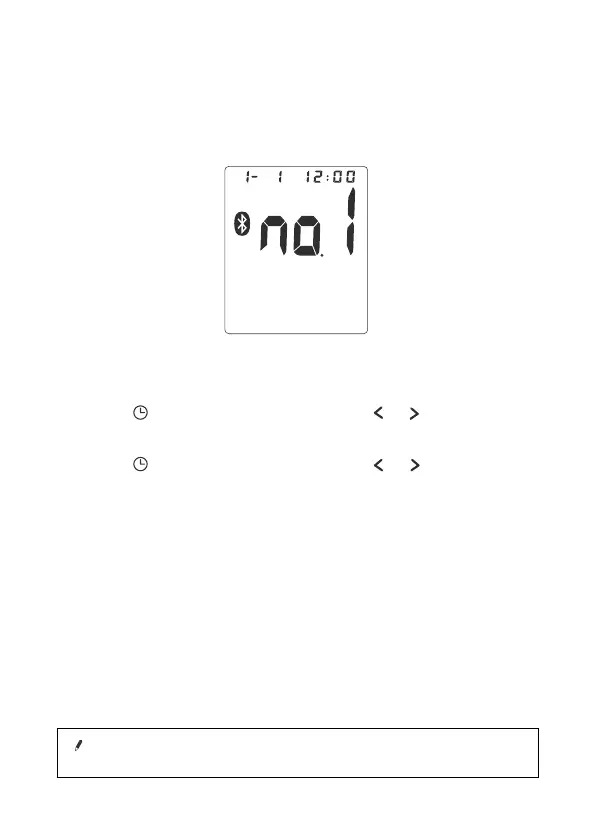
1.When the power is turned on, The monitor will automatically turn
to standby mode.
The date and time on your monitor can be automatically updated,
when you connect it with your smart device.
Once the date and time have been successfully synced, future
readings will automatically have the correct date and time.
Standby Mode
1. Press button ("YEAR" flashes). Press or button to adjust
YEAR value.
2. Press button ("MONTH" flashes). Use or button to adjust
MONTH (1, 2, 3,……, 12).
3. Adjust DATE (1, 2, 3,…, 31), HOUR (1, 2, 3,……..12PM,1 PM,…, 12)
and MINUTE (00,01,02,03,.....59) as described in Step A above.
4. When settings are done, press button to confirm the settings.
The device turns to standby mode.
A.Switch on the Monitor
B.Setting Year, Date and Tim
Using your Bluetooth smart device.
MEASUREMENT PROCEDURE
Note!
.
The Bluetooth Feature Switch default setting is ON


 To Next Page