| 14 |
BLUETOOTH TRANSMISSION
Bluetooth Communication Function
MOCAarm features a built-in Bluetooth Communication function, which
enables the device automatically transmit measuring results to paired
Bluetooth device. When connection established, BPM would transmit
memory data such as Measure Date, Systolic Pressure, Diastolic
Pressure and Pulse Rate to the Bluetooth device.
Before attempting to sync the device with your smart device, make
sure Bluetooth function is turned ON in both your smart device and the
monitor, and make sure your Bluetooth-enabled device have downloaded
the App.
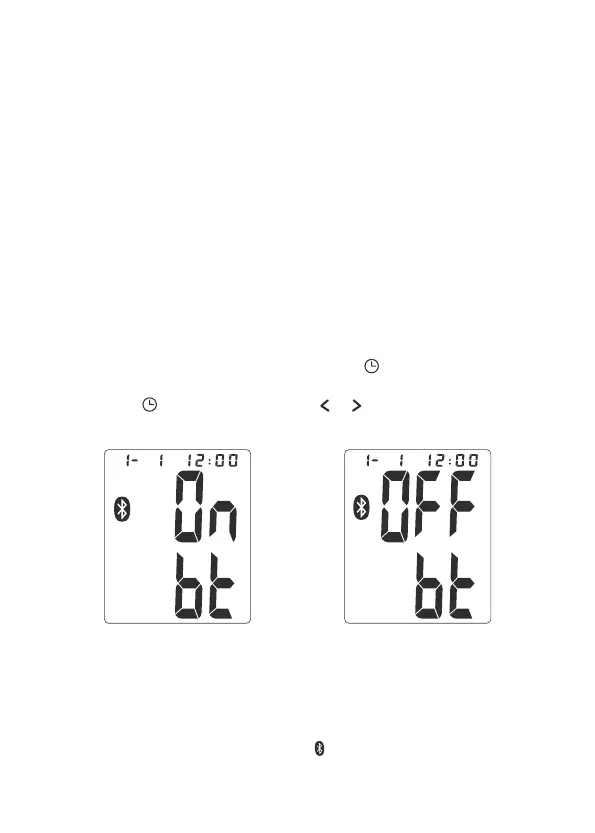
Bluetooth feature ON Bluetooth feature OFF
Transmit Readings
1. There are 2 ways to activate Bluetooth function.
Turning Bluetooth Feature ON/OFF
1.This function default setting is on. Under standby mode, user can
switch the function ON or OFF. By pressing “ ” button the device will
enter to setting year, date & time first. When these setting are done,
press the “ ” button again, press or button to turn Bluetooth
function ON or OFF.
a. Automatically activate:
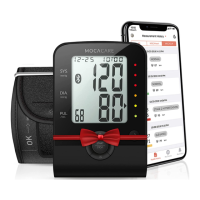
When measurement completed, the device activates Bluetooth function
automatically, and Bluetooth symbol will flash on the screen.
b. Manually activate:


 To Next Page