11
DE
EN
FR
ES
REMOVE THE TRANSPORT LOCKING DEVICE
(ONLY FOR MOCKMILL LINO 100/200)
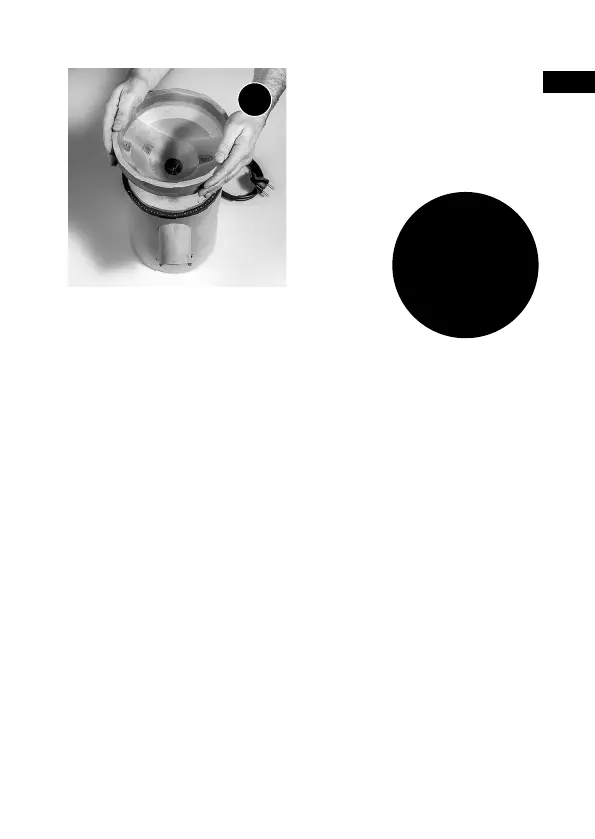
Please make sure the transport locking device is removed before the
initial start up. Holding the chute with one hand, turn the hopper anti
clockwise with the other hand. Remove the hopper. It is normal that
some strength is required.
The transport locking device can now be removed by pulling on
the red tag.
The hopper can now be placed back onto the mill by turning this
clockwise until you feel a strong resistance. At this point turn the
hopper anti clockwise until the black dot is above the scale number 1.
Now you can use your Mockmill as described in operating instructions.
FURTHER
QUESTIONS?
info
@
mockmill.com
3
FURTHER OPERATING INSTRUCTIONS.
On our homepage mockmill.com you will find videos containing
further operating instructions under:
mockmill.com ⟶ Service / Help⟶ Help / Support ⟶ Downloads
Take the hopper and turn it one full
time clockwise. Then plug the mill into
the power socket and switch on. Turn
the mill further until you hear a slight
ticking noise (first stone contact).


 To Next Page