15
DE
EN
FR
ES
SUBSTANCES FOR MILLING AND ADJUSTING THE SETTINGS
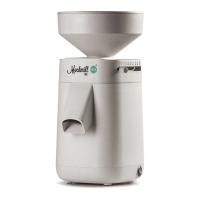
You can use your Mockmill to mill all foods listed on pages 12–14.
Milling substances other than those listed or on our website may
damage your mill and void the warranty.
Do you have an idea or would you like to try something that you can
not find on the list? Then please send us a mail to
info@mockmill.com. We would like to support you and your milling ideas.
The Mockmill is set so that you can hear a slight ticking noise from
stones at scale position 1 when idling without grain. That is the finest
setting. If no stone contact is heard at position 1, keep turning the
hopper past that position until you hear a light ticking noise.
At position 20 you will get coarse meal coming from the Mockmill.
When an even coarser result is required then you can keep turning the
hopper well past the end of the scale. There is no limit here, but at some
point past 20 your grains will exit the mill whole.
A video on this topic can be found on our website under:
mockmill.com ⟶ Service / Help⟶ Help / Support ⟶ Downloads


 To Next Page