Playing
After you have powered on and adjusted the volumes of your MOD Duo, it is ready for playtime. The
MOD Duo comes with many pedalboards ready to be used. They are organised in banks and can be
accessed via SETTINGS menu.
Loading a pedalboard
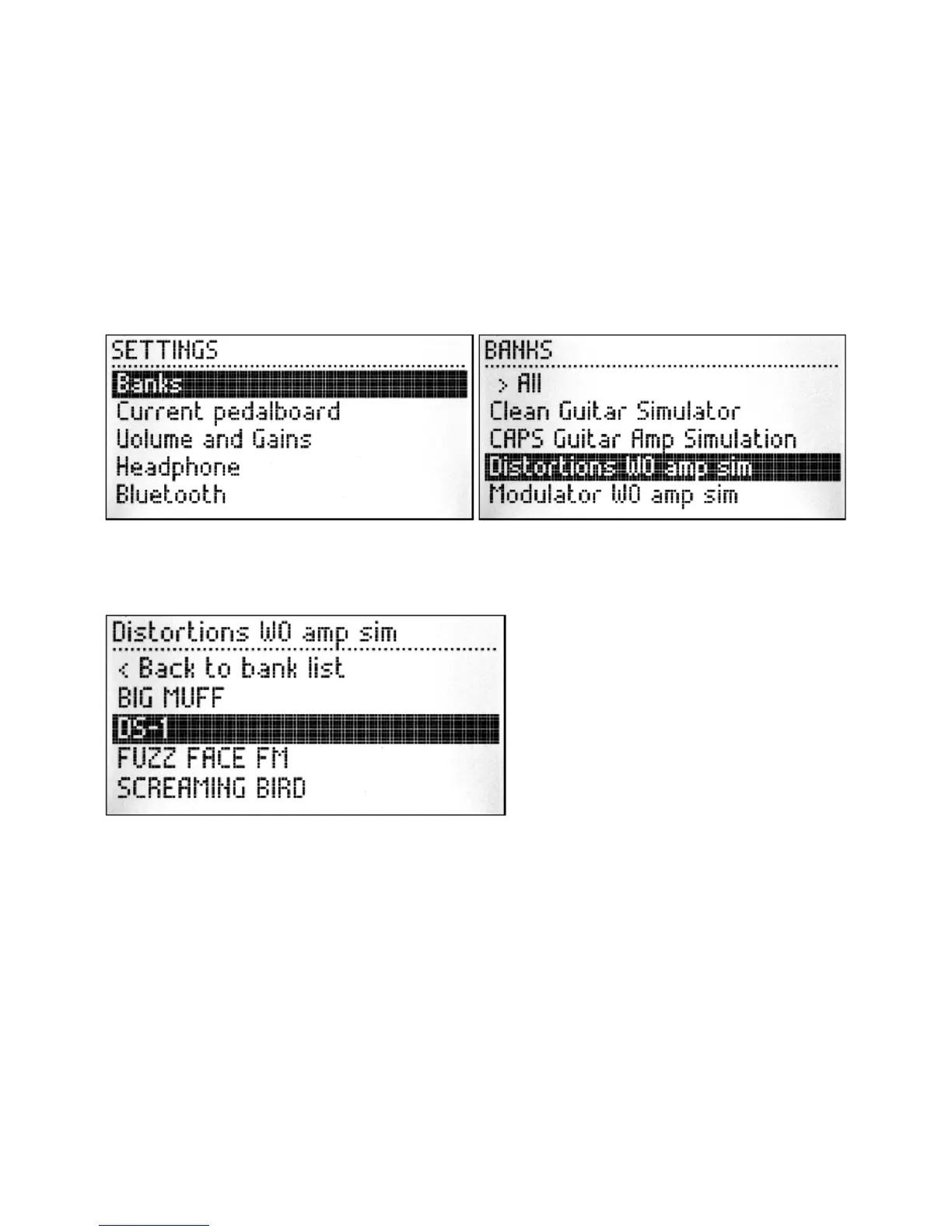
In order to load a pedalboard, first access the SETTINGS menu by pressing and holding the left
knob for one second, then select the option Banks with a short press. See how to organize your
banks using the MOD GUI.
Once you have the Banks menu open, you can select any bank according to your preference. The
name of each bank should give you an idea of the style of the pedalboards it stores. A short press on
the knob will open the selected bank showing the pedalboards inside of this bank.
To load a pedalboard, make your selection by turning the knob, followed by a short press on the
knob. Each time you load a pedalboard you can try how it sounds and once you find a pedalboard
that you like, you can exit the Banks or Pedalboard menu by pressing and holding the left knob for
one second.
Adjusting pedalboard parameters
As you might have noticed already, the default view of the displays shows the assigned parameters
of the plugins for the current pedalboard. You will learn more about assigning parameters in the
next chapter.
These parameters you see on the displays were considered important to be accessible to the user
when the pedalboard is loaded. To adjust the value of each parameter you just need to turn the knob
until the desired value is reached. More than one parameter can be assigned to the same knob, to
cycle between them, short press the knob. On the top-right corner of each display you can see the
index of the parameter being adjusted and the amount of assigned parameters on this display.


 To Next Page