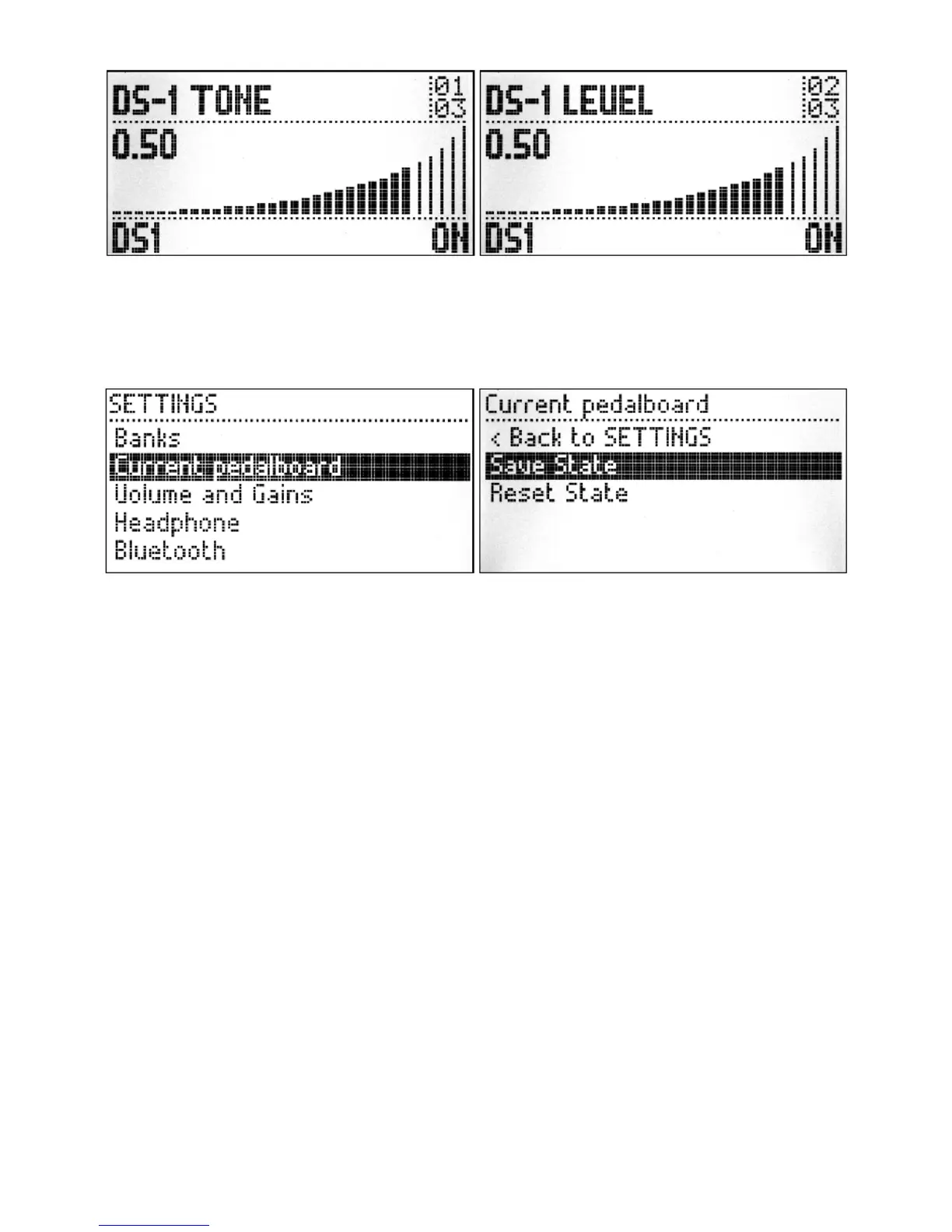
After you have changed the values you might want to save or reset them. The reset will restore the
last saved values for all assigned parameters, while the save option will save the current parameters
values to the current pedalboard. To access these options, press and hold the left knob for one
second to open the SETTINGS menu, then turn the knob moving the selection until Current
pedalboard option and short press the knob to select it.
Inside the Current pedalboard option there are two options: Save State and Reset State. Turn
the knob to select the desired option, and short press the knob. Finally, confirm the action by
selecting YES in the pop up dialog, and short pressing the knob. To exit this menu press and hold
the left knob for one second.
Editing
Accessing the graphical interface
The MOD Duo has a built-in graphical user interface (GUI), which means you don’t need to download
any extra software in order to configure the device. To access the interface, you only need a web
browser, such as Chrome, Safari or Firefox.
Once you are connected to your device you will be able to build and share your pedalboards,
download new plugins, organize your banks for offline access and much more.
Please refer to the Web GUI User Guide to learn all about it.


 To Next Page