General knob actions
Turn a knob to change the value of the parameter assigned to it
■
Press a knob to cycle through the list of parameters assigned to it
■
Left knob actions
Hold the left knob to access and exit the device menu
■
Turn the left knob to scroll through the device menu
■
Press the left knob to enter the selected sub-menu or toggle the selected option
■
Right knob actions
Hold the right knob to access and exit the tuner
■
Press the right knob to change the input that the tuner is used for
■
The two footswitches can be used to navigate through the pedalboards that are inside a bank (when
set up that way). They can also be freely mapped to the parameters of the plugins running inside the
MOD Duo, through the web interface.
General footswitch actions
Press the footswitch to change the value of the parameter mapped to it
■
Switching pedalboards with the footswitches
When switching pedalboards with the footswitches is enabled through the web interface:
Press the left footswitch to load the previous pedalboard in the active bank
■
Press the right footswitch to load the next pedalboard in the active bank
■
Displays
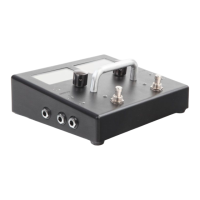
The MOD Duo sports two large (2.8") LCD displays. The displays normally give dynamic information
about the actions mapped to the device actuators, but they are also used for displaying the device
menu and tuner.
Dimensions
width: 180 mm
■
length: 160 mm
■
height: 74.7 mm
■
LED Audio meters
The LED colors represent the following input levels:
Off: below -30dB
■
Green: between -30dB and -12dB
■
Yellow: between -12dB and -3dB
■
Red: above -3dB
■
Blinking strong red: 0dB (CLIPPING!)
■


 To Next Page