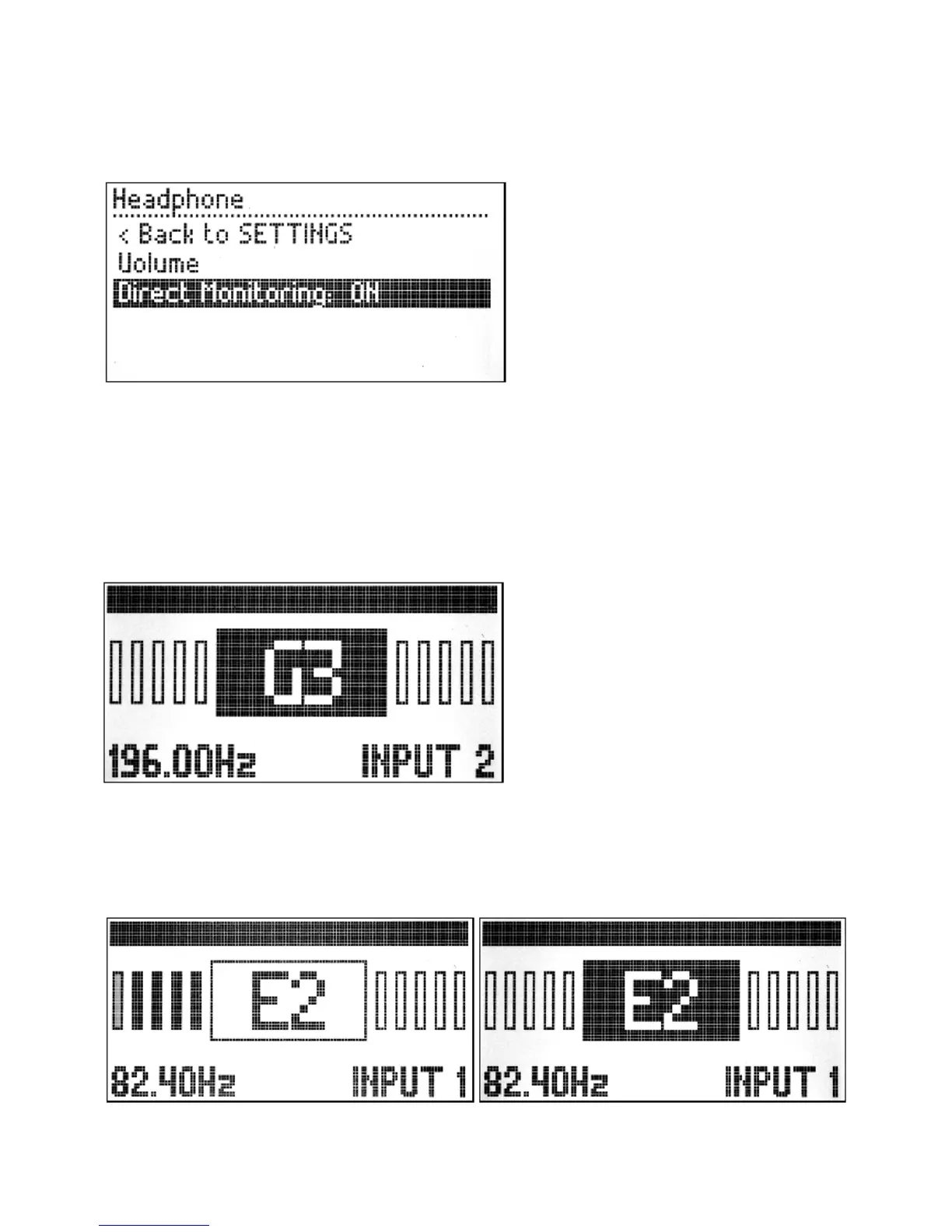
Simply short press the knob to return to the previous menu.
There is also the option to enable the Direct Monitoring. By enabling the direct monitoring the
headphone will work as a monitor for the dry sound coming into the MOD Duo. To toggle the
monitor between ON and OFF press the knob while the Direct Monitoring option is selected.
Tuning
The MOD Duo has a built-in chromatic tuner which can be accessed by pressing and holding the
right knob for one second. Both inputs can be used as the tuner input, to select between them short
press the right knob. To exit the tuner press and hold the right knob for one second.
If you see a question mark on the tuner screen, it means the MOD Duo is not receiving any input.
To tune a guitar, play an unfretted note on a string and tune it until you see the correct note on the
display. When the background of the rectangle becomes black the string is in tune. Each vertical bar
represents 10 cents. The first bar, to the right or left of the central rectangle, is filled when the
signal is between 1-10 cents out of tune, the second bar when it is 11-20 cents out of tune, and so
on, and so forth.


 To Next Page