Manual MODSTER EC-135
30 www.modster.at
Caution:
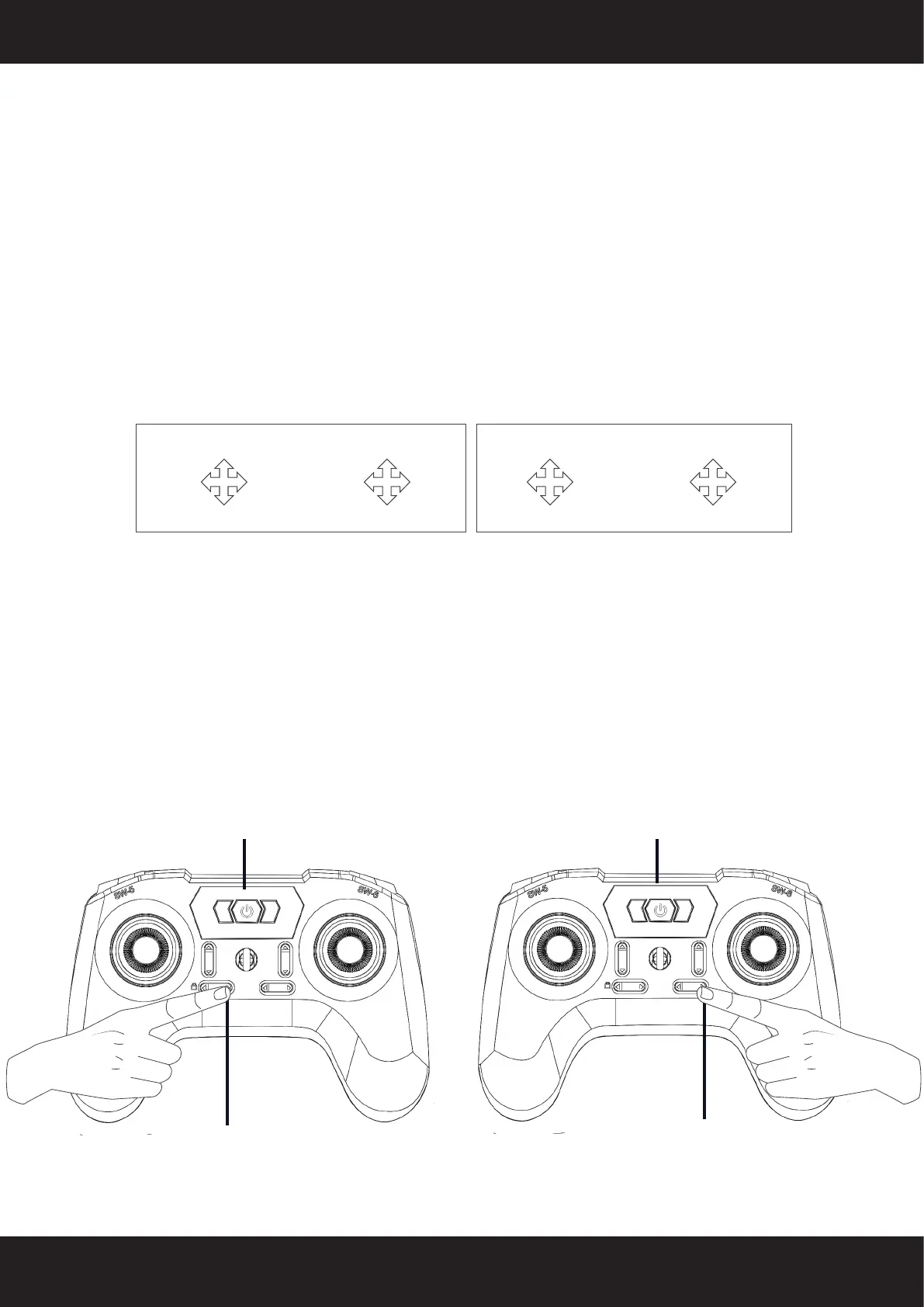
1� The default factory setting is MODE2 with left-hand throttle� The remote controls
blue light is on� Press the right-side trim button to switch to MODE1, indicated by
the remote controls red and blue lights�
2� To calibrate the remote control’s joysticks, power on the remote control by pres-
sing the left-side trim button� The remote control will emit three beeps� Keep the
remote control still and it will automatically calibrate the joysticks�
3� The default setting for the trim buttons is small trim� Press the trim buttons to
switch between small trim (two beeps) and large trim (one beep)�
Right-hand throttle
Mode 1
Left-hand throttle
Mode 2 (Basic)
Forward
Right turn
Backward
Left turn
Throttle
Righ
Roll flying
Left Roll
flying
Throttle
Right turnLeft turn
Forward
Right Roll
flying
Left Roll
flying
Forward
Switch to Mode 1
The factory default setting is MODE2 with
left throttle� The blue light of the remote
control will be on� To change to Mode
1, press and hold the trim button while
turning on the remote control, which is
indicated by the red and blue lights on
the remote control�
Switch on
Press and hold this button while
turning on the remote control�
Helicopter and remote cont-
rol frequency binding
When purchasing the helicopter, the
remote control is already bound to the
helicopter at the factory and can be used
directly� In other cases, please follow the
binding instructions below�
Switch on
Press and hold this button while
turning on the remote control�


 To Next Page