Manual MODSTER EC-135
www.modster.at 35
Manual Mode Flight
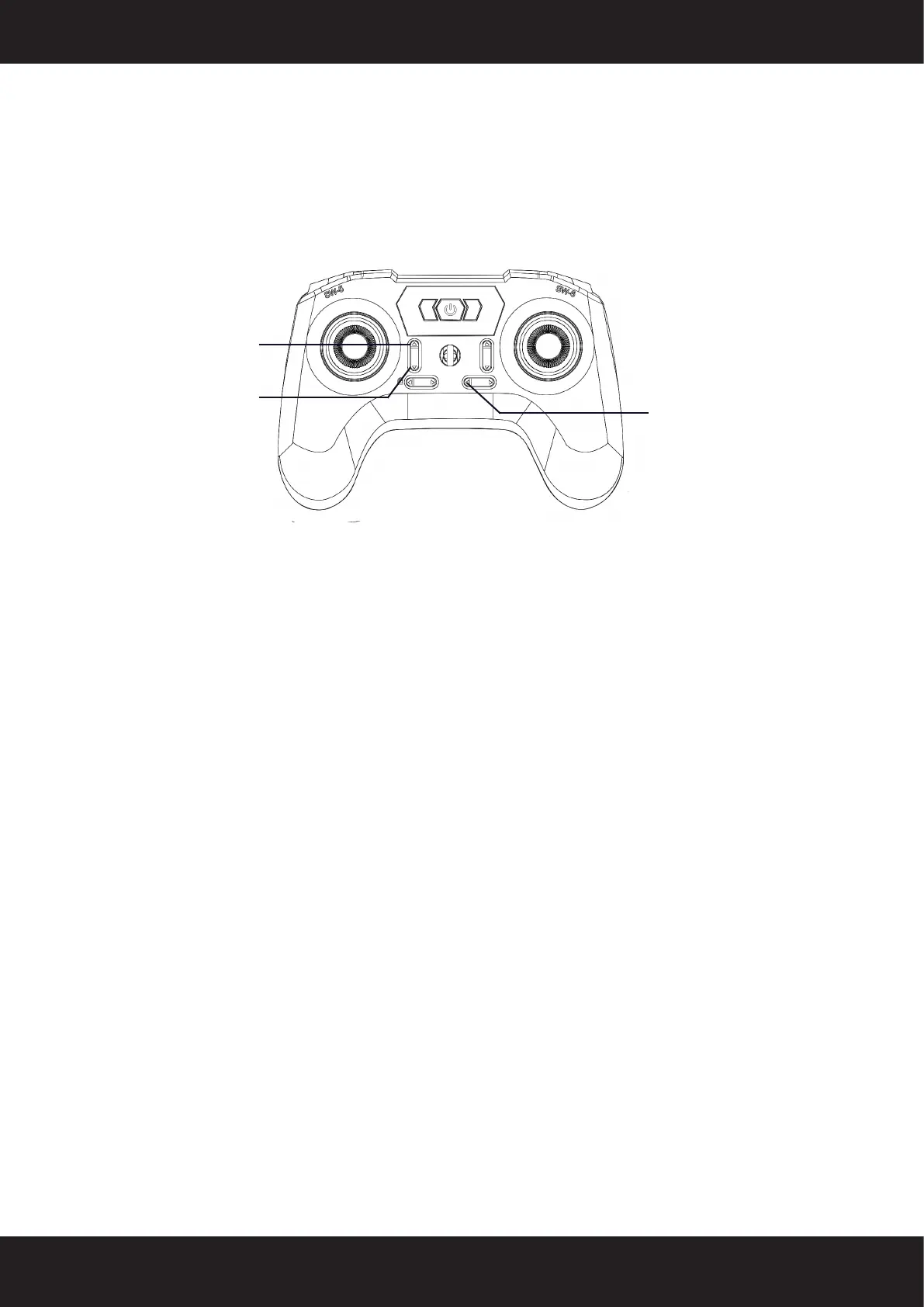
Pressing the Manual Mode button will disable the optical flow flight mode� In this
mode, the aircraft‘s status indicator light will remain solid red, and the altitude restric-
tion will be lifted� The maximum flight speed can reach up to 10 meters per second�
Please closely monitor the aircraft and operate with caution�
Pressing the throttle adjustment button on the remote control again will activate the
optical flow mode, indicated by a solid green status indicator light on the aircraft�
One-Key Landing
During flight, long-press the One-Key Landing button, and the aircraft will initiate a
landing at its current position� While landing, the remote control can still be used to
control the aircraft� Pushing the throttle up during the landing process will cancel the
landing� Alternatively, pressing the One-Key Landing button again will cancel the one-
key landing function�
Expert Inverted Flight Mode
This mode is designed for 3D aerobatic inverted flight training and should be conduc-
ted in open outdoor areas with calm or light wind conditions�
In manual mode, with the flight altitude above 9 meters, press the upper right One-Key
Inverted Flight button� The remote control will emit two beeps� Quickly push the ele-
vator stick forward or backward and immediately return it to the center position� The
aircraft will automatically perform a 180-degree roll and enter inverted flight hover�In
this mode, the helicopter‘s control input is the same as that of a 3D helicopter (pushing
the throttle stick up will make the aircraft descend, pushing the elevator stick forward
will make the aircraft move towards the tail)�
Pressing the One-Key Inverted Flight button again and quickly moving the elevator
stick will transition the aircraft from inverted flight to normal flight mode, restoring nor-
mal flight behavior�
Manal Mode
Optical Flow Mode
One-Key Landing Mode


 To Next Page