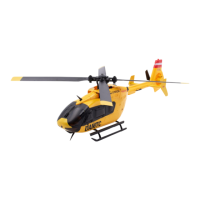
Manual MODSTER EC-135
www.modster.at 37
1� Power on the aircraft and bind it with the remote control�
2� Long-press the lock button on the remote control to lock the aircraft with two
beeps� Then long-press the pitch setting button to enter pitch setting mode with
two beeps�
3� Use the joystick to adjust the corresponding servo until the aircraft‘s swashplate is
level and the rotor blade angle is 0 degrees� Then, short-press the lock button on
the remote control to unlock with a beep, exit the pitch setting mode, and save the
settings�
Note: Pitch setting should be done under the guidance of an experienced individual�
Incorrect pitch setting can result in reduced flight performance�
Common Troubleshooting
Issue Solution
After powering on, the
indicator light keeps
flashing rapidly�
The aircraft is in gyroscope self-checking
state� Please place the aircraft on a stationary
and flat surface�
The aircraft tilts to one side
and cannot hover after
takeo�
Place the aircraft on a level tabletop or surfa-
ce and recalibrate the gyroscope�
The aircraft experiences
severe shaking�
Check for damaged rotor blades and replace
them with new ones� Inspect the main shaft
and cross-axis for any bending and replace
them promptly�
The aircraft cannot be
unlocked, and the
indicator light flashes red
rapidly�
The battery voltage is too low� Please fully
charge the battery�
Unstable flight in strong
wind conditions�
Fly in appropriate weather conditions� The
aircraft is suitable for flying in wind conditions
up to level 4�
No response from the
helicopter after power on,
slow flashing light�
Rebind the frequency� During rebinding, the
aircraft should be placed horizontally�
Slow flashing green light
in downward vision flight
mode�
Ground environment may aect the perfor-
mance of the
downward vision system� Please test in a dif-
ferent environment�
No power-on sound when
connecting power to the
helicopter�
The speed controller may be faulty or the plug
connection is poor� Replace the speed cont-
roller and inspect the plug for timely replace-
ment�
Continuous beeping from
the remote control during
flight�
The aircraft voltage is low, triggering a level 1
alarm� Replace the AAA batteries in the remo-
te control�


 To Next Page