6
The oven is set between 100’C & 200’C in the factory. The set point is normally
factory set to 190°C and can be viewed and changed even during the
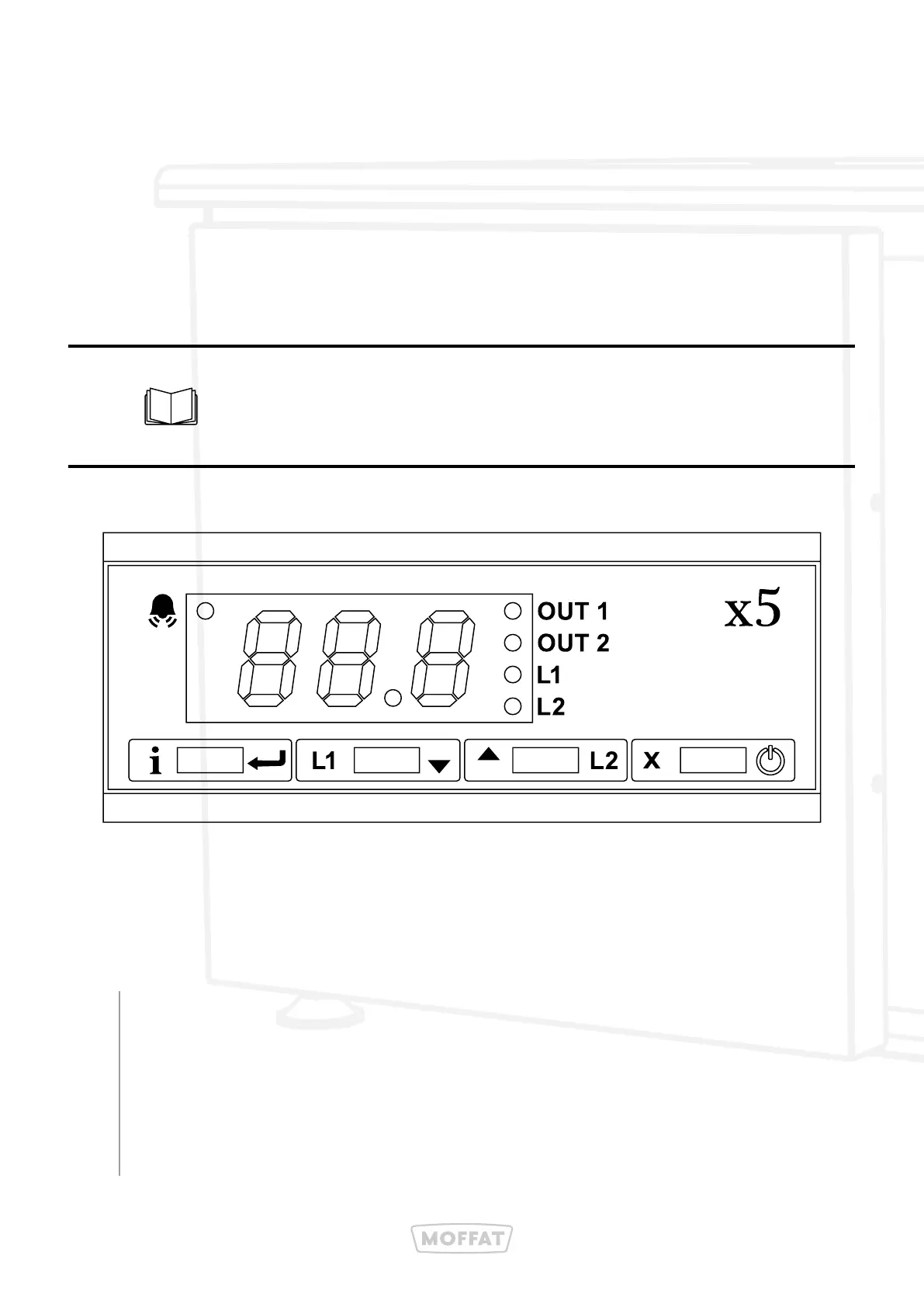
ovens cycle. To access the temperature set-point in the controller, press the L1
key. The display will show "1SP" for 1 second and then the current temperature
will be displayed. Use the L1 and L2 keys to adjust the temperature as
required (between 100’C & 200’C). Press the i key or wait 10 seconds to save
the temperature. To exit without changing the setting, press the X key.
1.2: Changing The Temperature Setting
You cannot set it, out-with the SPL & SPH range
(100’C to 200’C) as the controller will not allow this.
1.3: Application of CR Ovens
Set the temperature to 190°C. The timer is set to 80 minutes. The temperature
and time required to cook the food all depend on the quantity and density
of the food. These settings may need to be varied as required by the food.
Start the Regen cycle by pressing the switch to the Regen position. The oven
temperature and time are controlled as previously set. At the end of the
time, the ready light will illuminate and the internal buzzer will sound. The
food is now ready for testing and service.
Cook Frozen
1.
2.



 To Next Page