10
Press the start/end button
to power on.
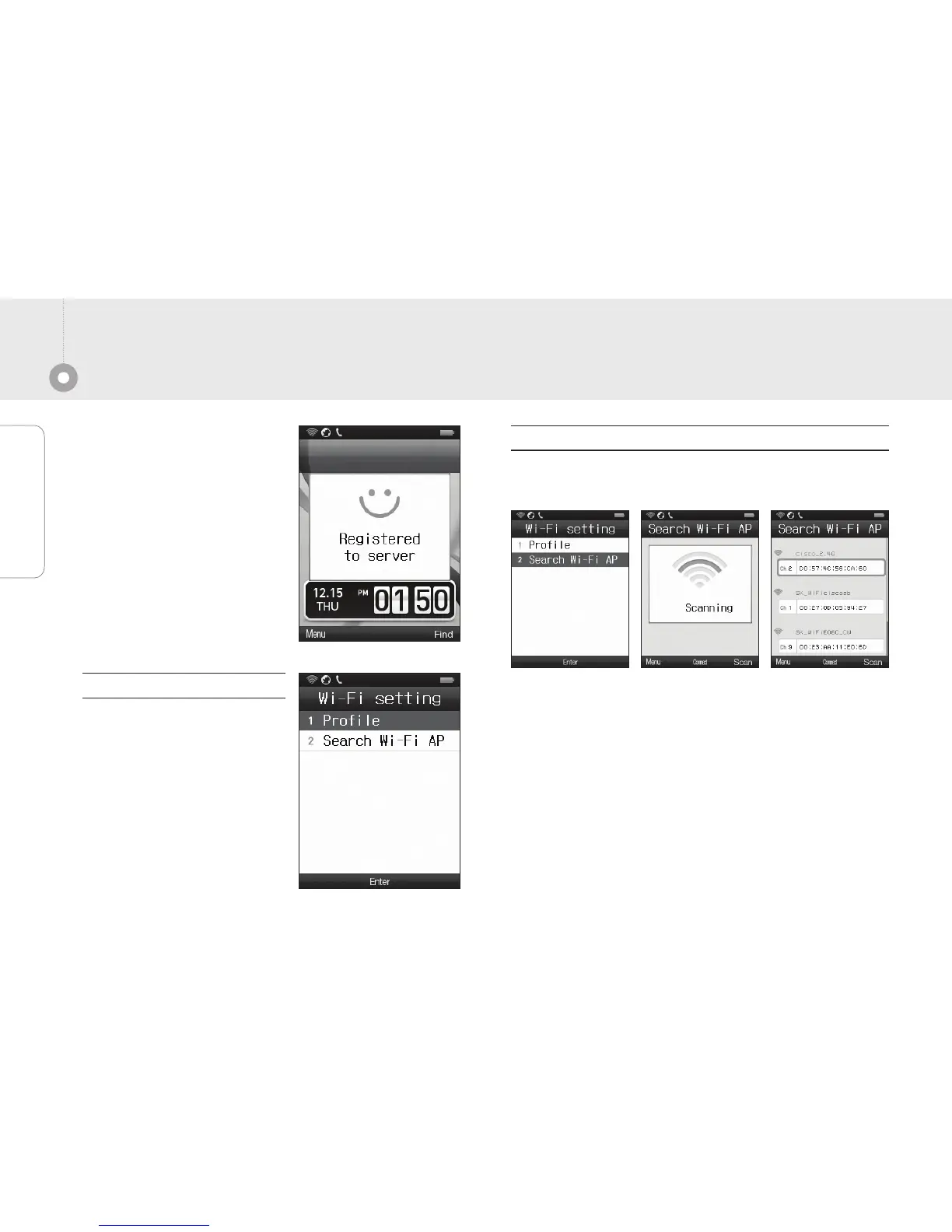
Check the Wi-Fi status of AP.
Case of the connect
automatically case.
Way to register Wi-Fi device
[Menu]
→
8.Setting
→
1.Wifi setting
→
1.Profile
Check the WLAN list on the current searching.
After select the WLAN, click the [Menu]
→
3.Add profile
to add profile.
Again back to [Menu]
→
8.Setting
→
1.Wifi setting
→
1.Profile and select the connect profile to register device.
[Menu]
→
8.Setting
→
1.Wifi setting
→
1.Profile
And check the registered
profile list.
Register the device after
select the desired profile.
If automatic connection fails
If profile is not registered.
Basic Instrunction


 To Next Page