7
Basic Instrunction
Basic Instrunction
7
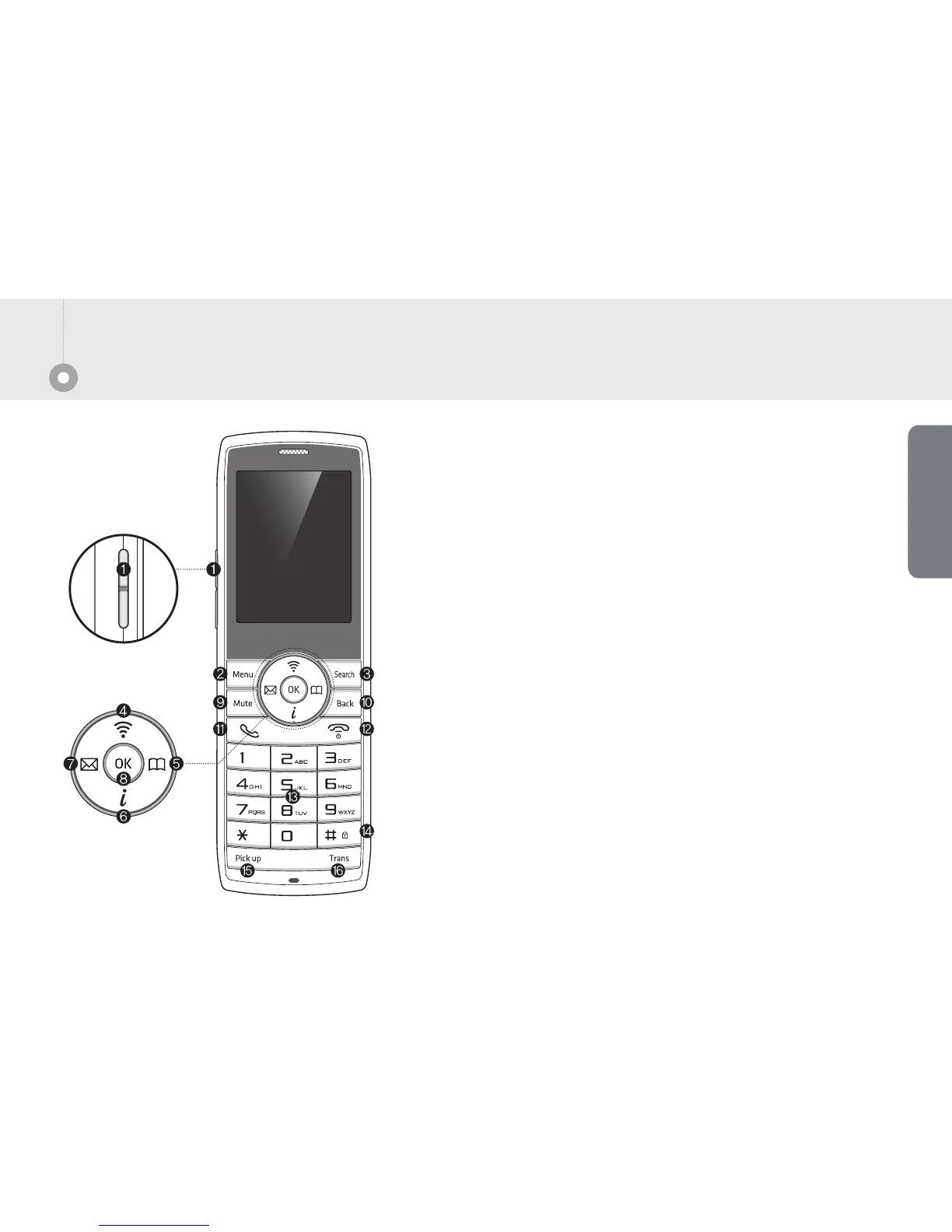
Volume : Adjust the sound volume.
Menu : Enter the menu.
Search : Search the registered phone number.
Wireless line : Find the Wi-Fi.
Phone book : Move to phone book.
Additional channel : Depends on service carrier’s service.
Message : Start to Message menu.
OK : Select the item.
Mute : Mute function on the call.
Back : Cancel the select item or back to the before menu.
Call : Using when you receive or end the call.
End : Using to power on/off.
Number/Text : Input the number or text.
#/Lock : Press long [#] button to lock the key button.
Pick up : Pick up the call from other phone.
Transfer : Transfer to other phone.
About Phone


 To Next Page