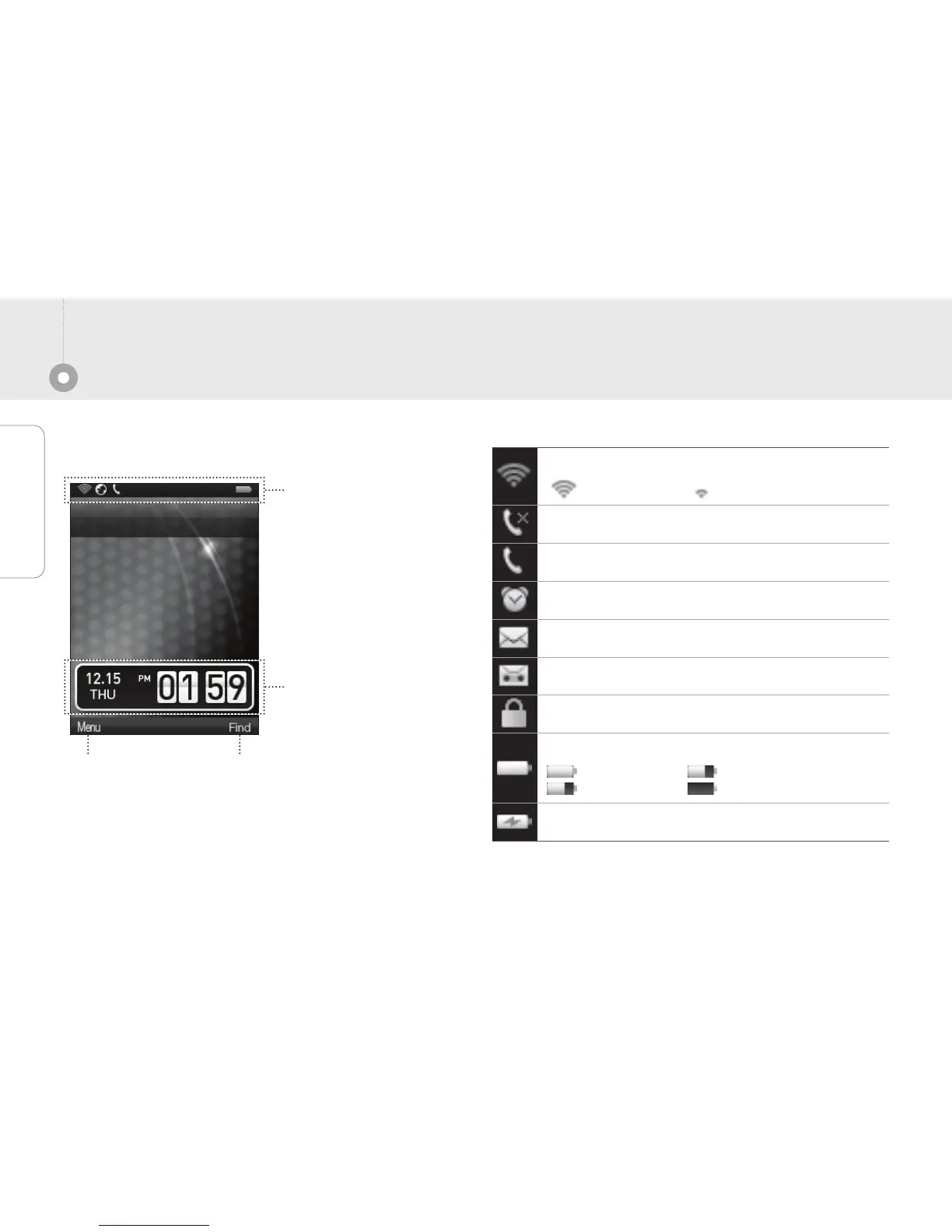
Time, Date
Indicate the time and
date information.
LCD Status
Left menu
Press the menu
to run the menu.
Status Icon
Indicate the phone
status. Please refer the
detail contents.
Right menu
Search the phone book
to find contact.
Indicate the battery status.
Whole charged Enough
Shortage discharged
It indicate battery is charging status.
It is unavailable status of phone call function.
It is available status of phone call function.
It appears when you set the alarm.
It appears unchecked message exist.
It appears when you set the answer machine option.
It appears phone is locked.
Indicate the Wi-Fi signal strength.
Strong signal Week signal


 To Next Page