13
Basic Function
Basic Function
Phone Book
Press the [Menu] on the list to delete, edit, send
the message.
· Specifies the group can be set on the
→
3.Group
management.
Add, Edit, Delete the group is available with Pressing the
[Menu] button. Group can be registered up to 30.
· Register can be stored Press the [OK] button After Store
the number in the standby mode.
· Contacts can be stored up to 500 and the maximum
speed dials can be specified up to 100.
· You can select the phone number type and [Search]
button is pressed when you input the phone number.
→
1.Search the contacts
→
Select
→
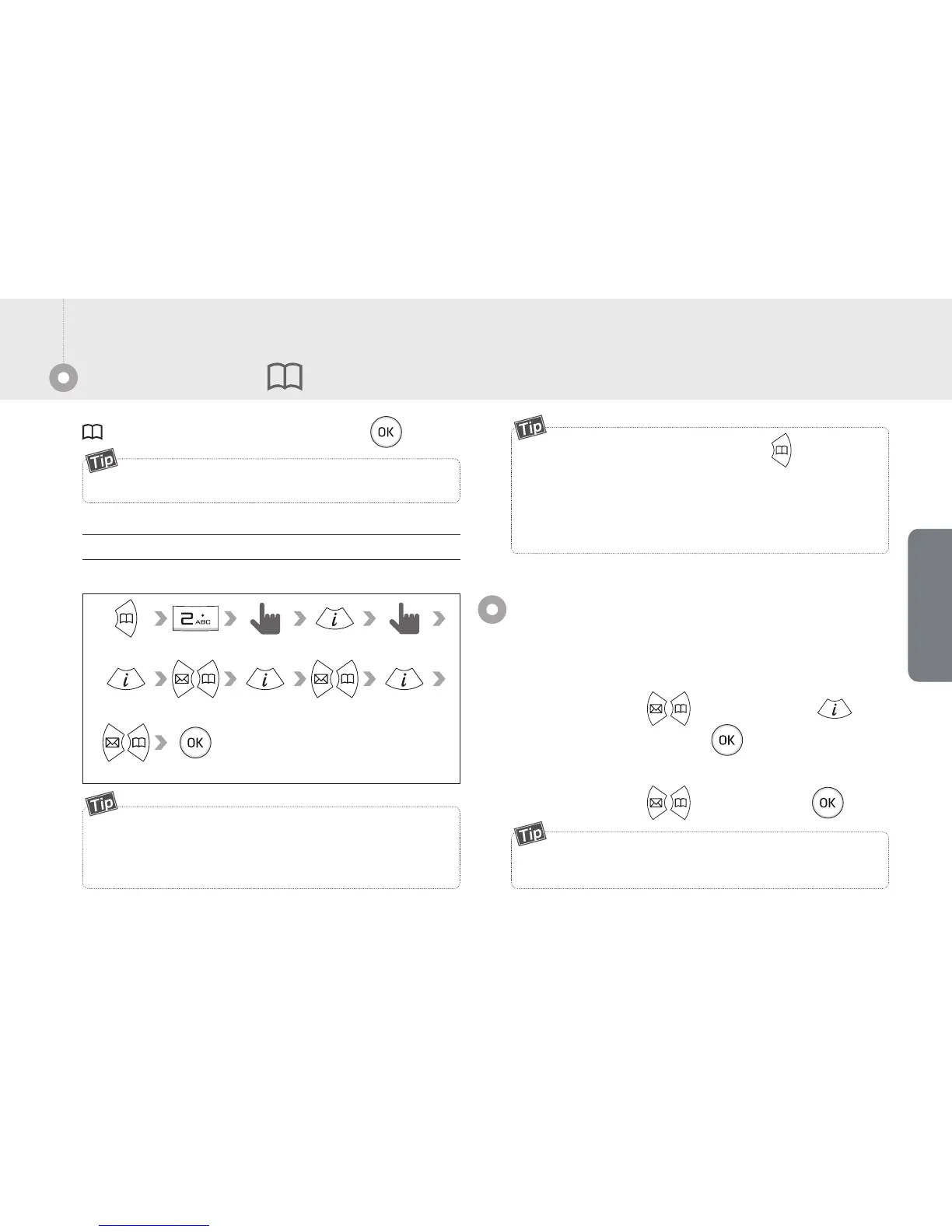
You can register the contact as below picture.
Register contact
Input name
Input number
Select Speed dial Select Group
Select bell
If you select the transfer option in the accessories.
Allow to set the conditional options as no answer, on the call,
unconditional etc.
CFA(Call Forwarding)
Allows to receive the call from another call.
■
How to set : [Menu]
→
3.Call managing
→
6.Accessories
→
1.CFA Setting
→
Select the setting
→
→
Input the number to transfer
→
■
How to clear : [Menu]
→
3.Call managing
→
6.Accessories
→
1.CFA Setting
→
Clear the setting
→


 To Next Page