9
Basic Instrunction
Basic Instrunction
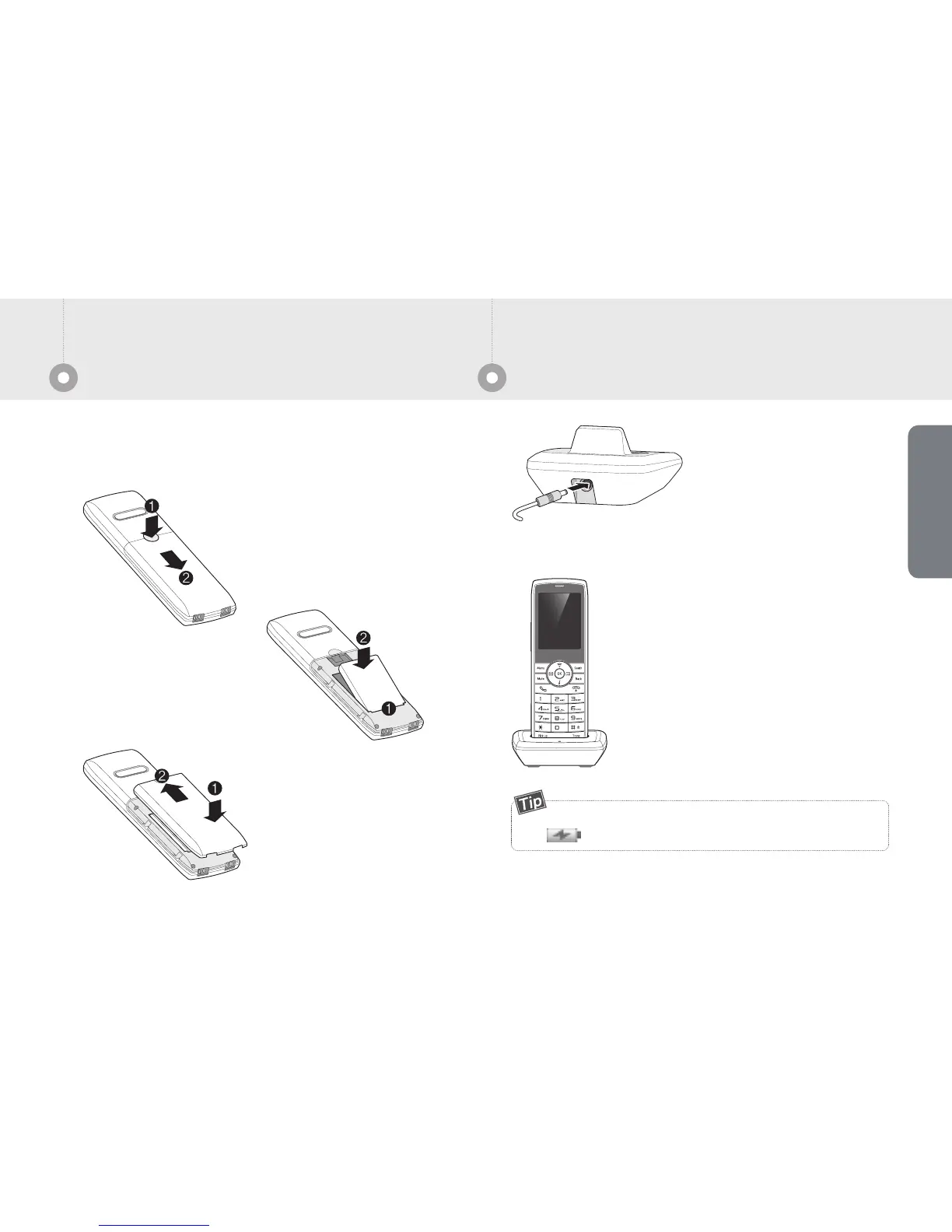
Connect the adapter
provided with
Rear connector.
Connect the charger plug into a power outlet.
As shown on the left picture,
place the wi-fi phone on the
charging cradle and
charging starts.
When you first setting Wi-Fi phone, Please use the
battery which included gift box. If you need exchange the
battery, you have to contact service center to buy.
Push the battery cover to
way as left picture, and
pull
way to separate.
Adjust the battery charge
access part to groove of
and push the way of
.
As left picture,
insert the battery cover
to
direction and
push the
way with
sounds clack.
Way to set the adapterInsert the battery
Pull
Fit up
Push
Pull
Fit up
You can check the charging status with indicated
icon on the top display.


 To Next Page