MX123 Connection System User Manual - AS-34566-001 24
I. Dress Cover Installation
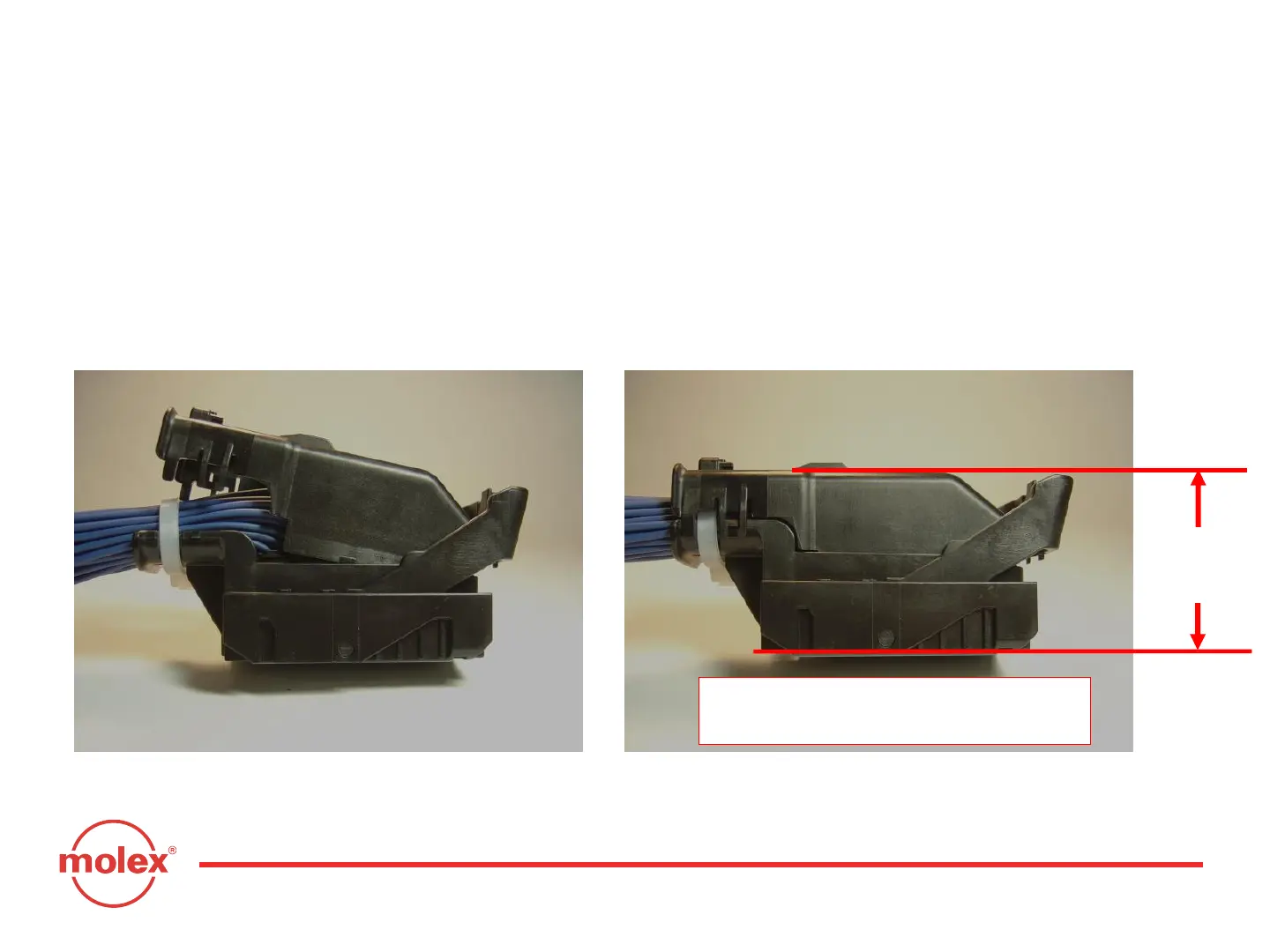
After tie-wrapping the wire bundle, install dress cover by inserting the front
of the dress cover into the connector housing (Fig. 3-13) and pushing the
opposite end (Fig. 3-14) until it snaps into position. Fully seated dress cover
and TPA can be verified by ensuring MAX. height dimension (Fig. 3-14).
Step 1: Insert front end into housing. Step 2: Press down to lock position.
Fig. 3-13 Fig. 3-14
Section 3: Harness Assembly Instructions
47.8mm
MAX.
Top of dress cover to bottom
of fully seated TPA



 To Next Page