MX123 Connection System User Manual - AS-34566-001 31
Section 5: Service Instructions
A. Harness Connector Removal From Module
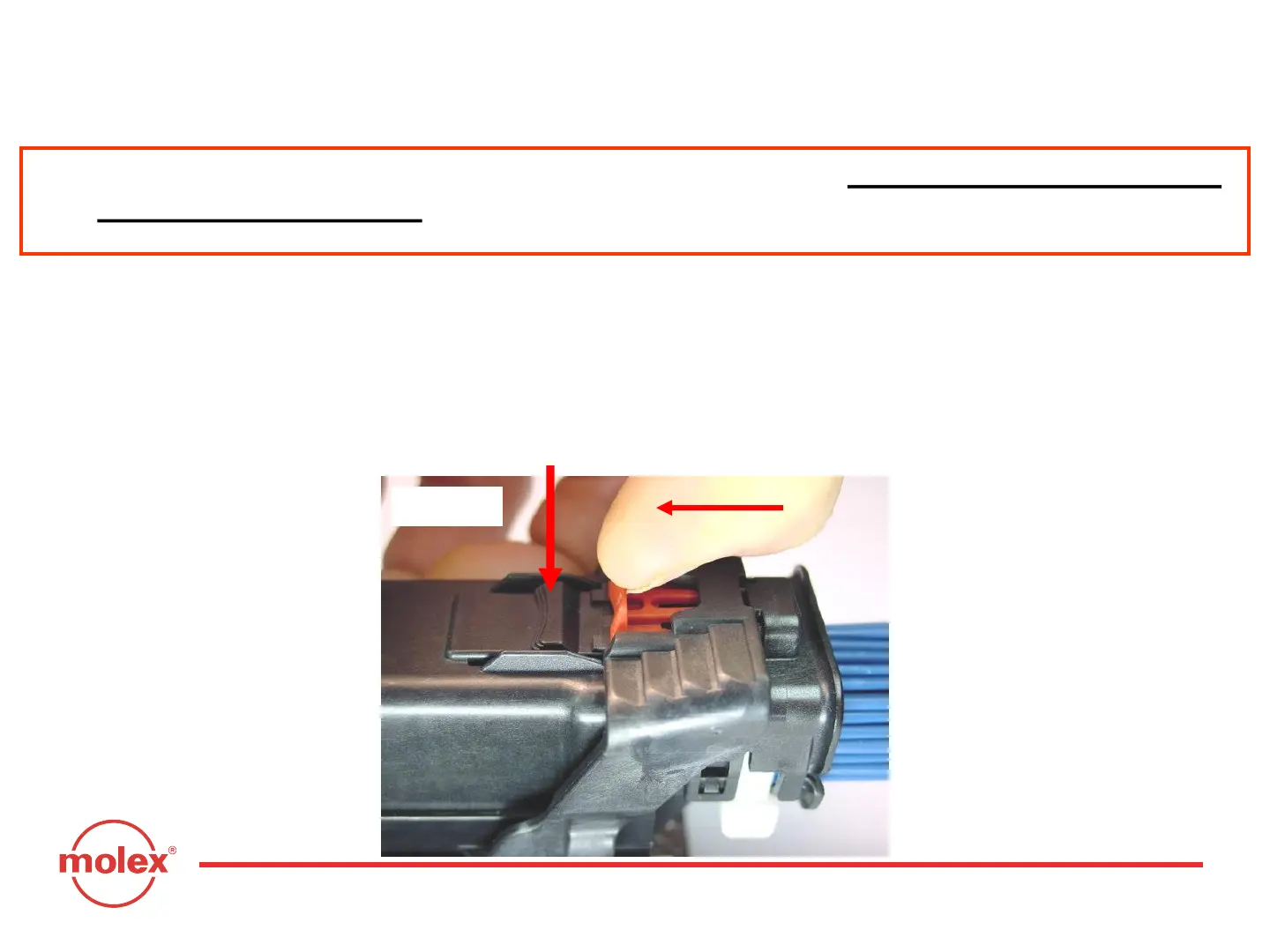
To un-mate the harness connector from the header/controller, push the CPA
away from the wire bundle. Depress the primary latch on the top of the
harness connector so the lever arm releases from the harness connector
(Fig. 5-1).
Fig. 5-1
Primary Latch
NOTE: For soiled or in-service ECM’s, please refer to Section 11 (Appendix B):
Cleaning Instructions prior to commencing the following procedures.



 To Next Page