MX123 Connection System User Manual - AS-34566-001 37
Section 5: Service Instructions
D. TPA Servicing (18, 49, 56, 73, & 80 circuit connectors)
TPA should never be removed from the connector.
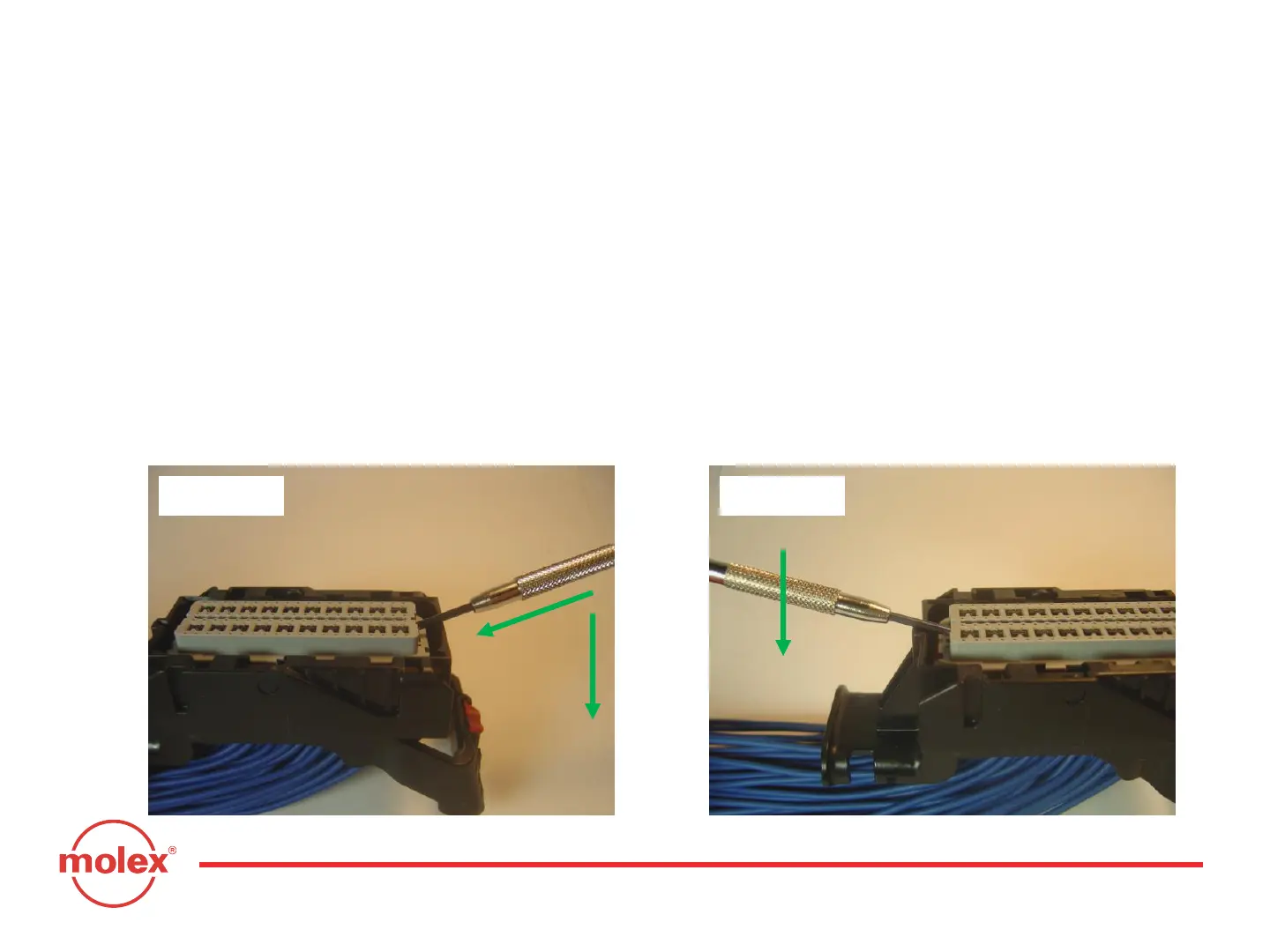
Step 1: Insert a small (2.0mm maximum) flat blade screwdriver into the TPA
service hole at one end of the connector (Fig. 5-10) and pry up. The TPA will
stop when it reaches its pre-lock position for terminal servicing.
Step 2: On the other end of the TPA, repeat Step 1 (Fig. 5-11) until the TPA
reaches its pre-lock position at both ends of the harness connector.
Approximate TPA travel will be 5.0mm (See Figs. 5-12 and 5-13).
Step 1: Pry up TPA
Step 2: Pry up opposite end of TPA
Fig. 5-10 Fig. 5-11
1
2



 To Next Page