MX123 Connection System User Manual - AS-34566-001 40
Section 5: Service Instructions
E. MX64 Receptacle Terminal Removal
Ensure TPA is in pre-lock position!
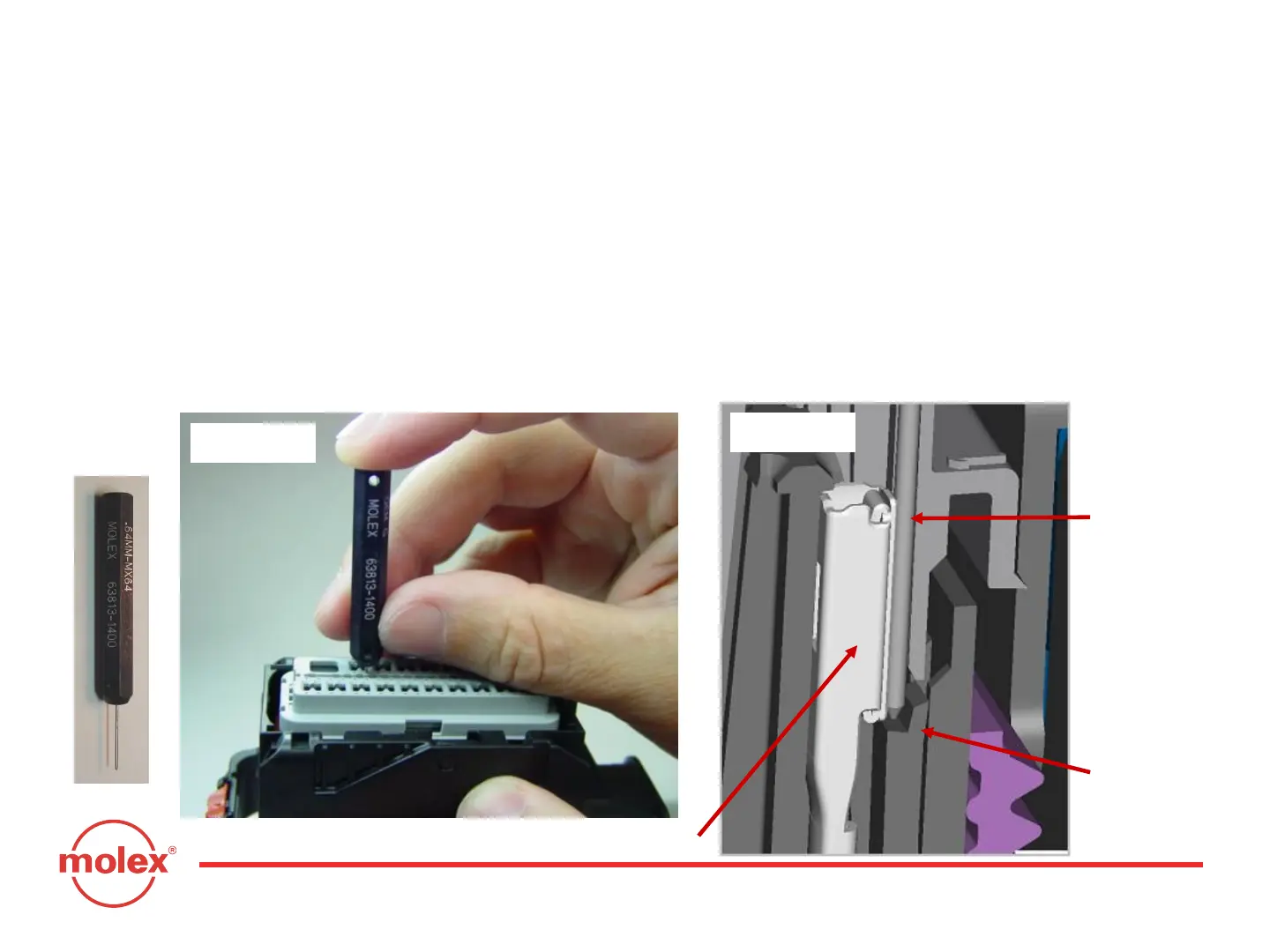
Holding the 0.64mm service tool (Fig. 14: Molex part no. 63813-1400 or alternate GM part
no. J-38125-213) between middle finger and thumb, with index finger on top of the tool,
insert the tip of the tool into the terminal service hole adjacent to the terminal to be
serviced (Fig. 5-15).
After first pushing the wire/terminal forward, use your index finger to push the service
tool (Fig. 5-15) until a large amount of resistance is felt. This wedges the service tool
between the terminal and the lock finger, therefore deflecting the lock finger. (Fig. 5-16).
Fig. 5-14 Fig. 5-15
Receptacle Terminal
Service Tool
Lock Finger
Fig. 5-16



 To Next Page