MX123 Connection System User Manual - AS-34566-001 42
E. MX64 Receptacle Terminal Removal (continued)
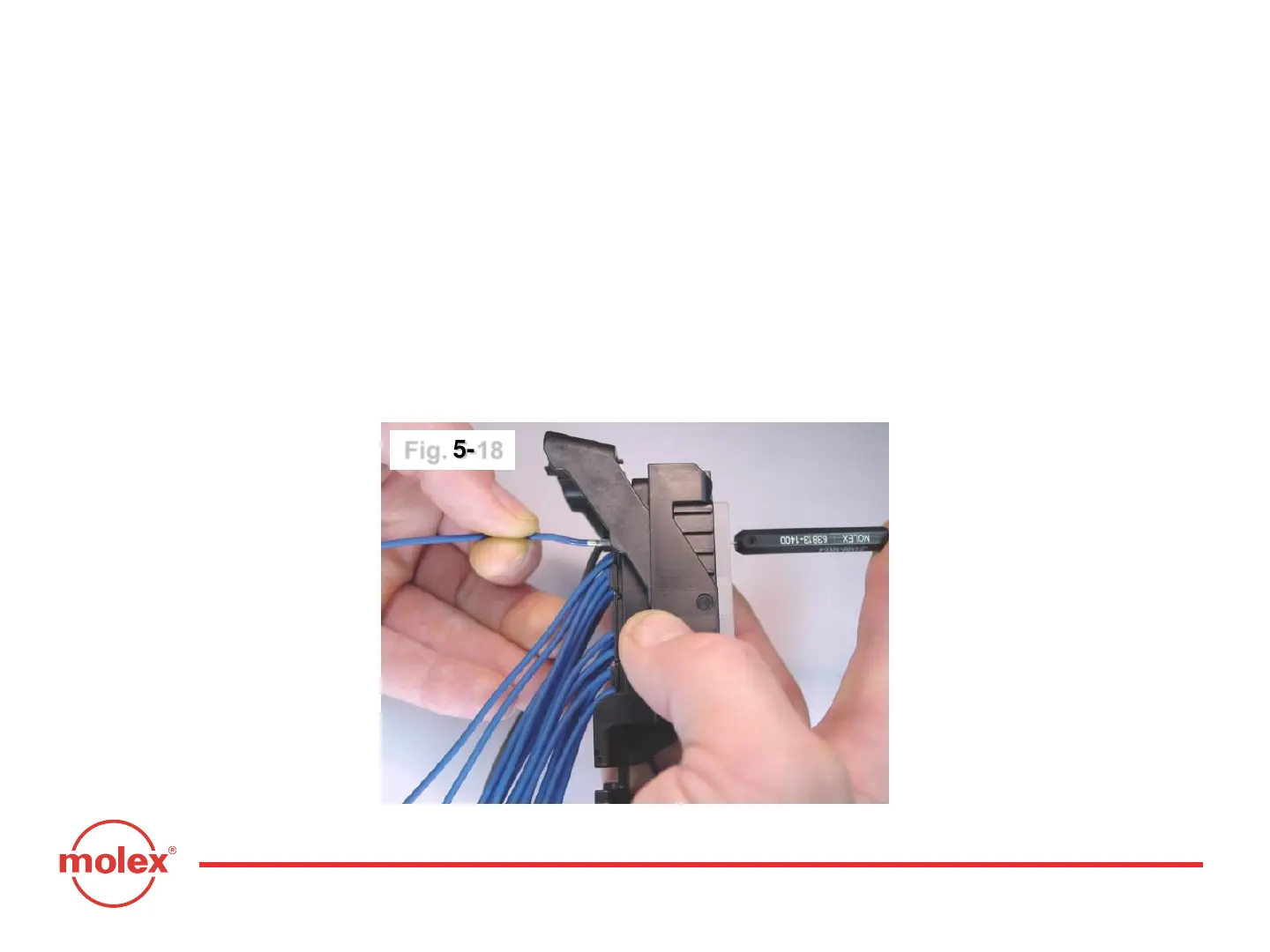
Once the terminal lock finger has been disengaged, transfer middle finger and
thumb to connector housing, while maintaining index finger pressure on the
tool. Pull on the wire to remove the terminal (Fig. 5-18). If the terminal resists,
the service tool may not be fully engaged. Repeat the servicing instructions,
starting at page 33.
Do not use excessive force. Excessive force can damage the lock finger. Do
not apply any lateral force. The lock finger is displaced by linear insertion
alone.
Fig. 5-18
Section 5: Service Instructions



 To Next Page