MX123 Connection System User Manual - AS-34566-001 49
Section 5: Service Instructions
H. Terminal Crimping
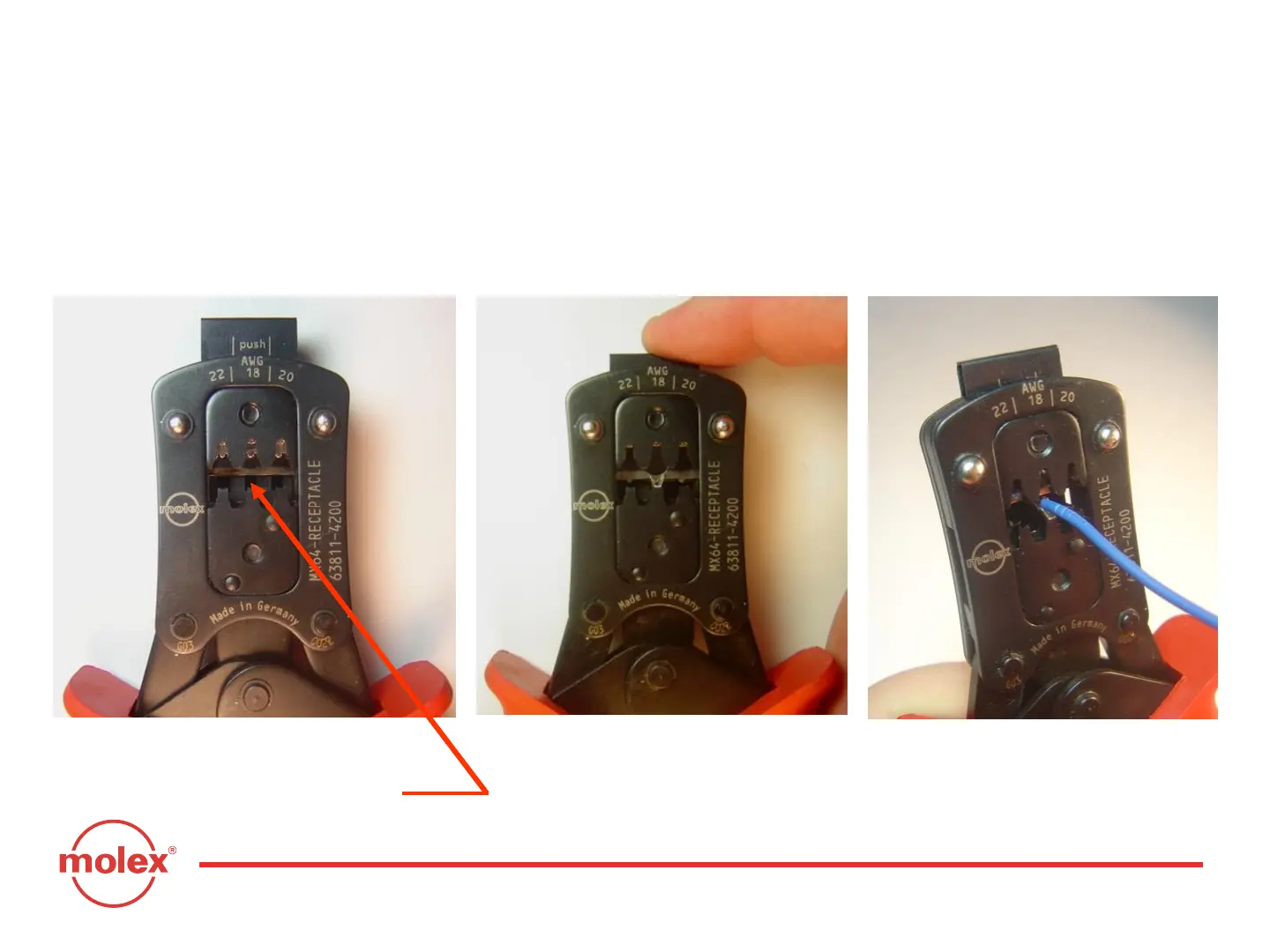
If the 0.64mm receptacle terminal needs to be replaced, a new one can be
hand crimped using GM Crimp Tool #XX019825 or Molex Crimp Tool #63811-
4200.
3.) Insert the wire until the wire
hits the wire stop. Squeeze the
handles through the last “click”
until they release.
1.) Identify the wire gauge you need
to crimp. Notice the rectangular
shape of the terminal cavity.
2.) Insert the correct terminal
and press the wire-stop down.



 To Next Page