MX123 Connection System User Manual - AS-34566-001 75
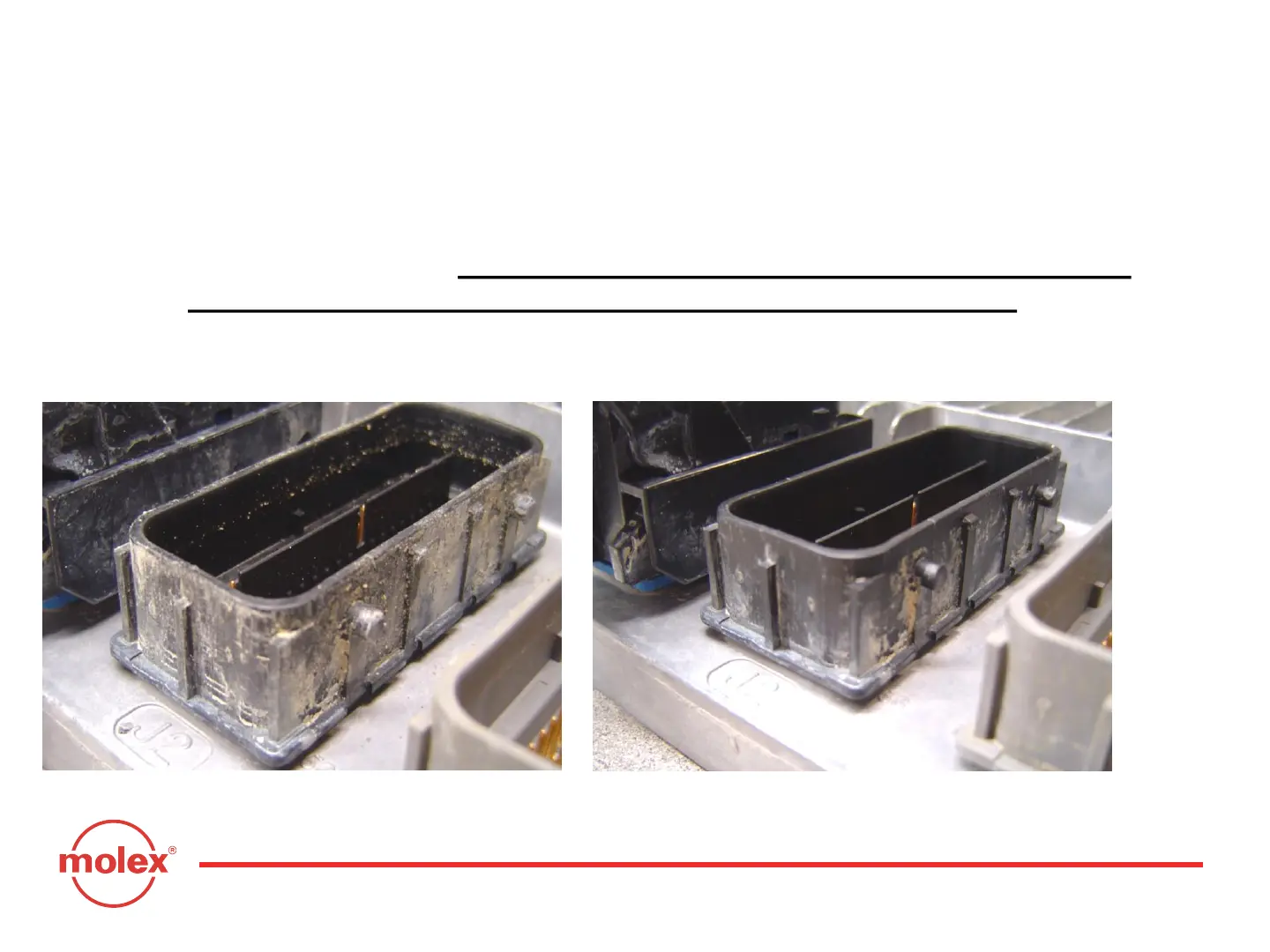
STEP 8: After connector removal, additional cleaning of the ECM header may be
necessary. The amount of dirt pictured on the left below is unacceptable.
Using a damp (NOT DRIPPING WET) clean paper towel or rag, brush off
the heavy deposits. This effort should be directed at the outside of the
ECM header, not the internal area where the terminal pins are.
STEP 9: Blow off with high pressure air to dry and remove any grit particles inside
the header.
“Gritty” ECM Header
DO NOT
APPLY
WATER TO
HEADER
PINS OR
EXPOSED
CONTACT
AREAS
“Cleaned” ECM Header
Section 11 (Appendix B): Cleaning Instructions



 To Next Page