APPLICATION SPECIFICATION
REVISION: ECR/ECN INFORMATION: SHEET No.
EC No:
ABC2001-9999
1
DATE:
2008/16/03
TITLE:
MX150 Application Guide
13 of 62
DOCUMENT NUMBER: CREATED / REVISED BY: CHECKED BY: APPROVED BY:
Brian Zelinski Steve Verzyl Scott Marceau
TEMPLATE FILENAME: APPLICATION_SPEC[SIZE_A](V.1).DOC
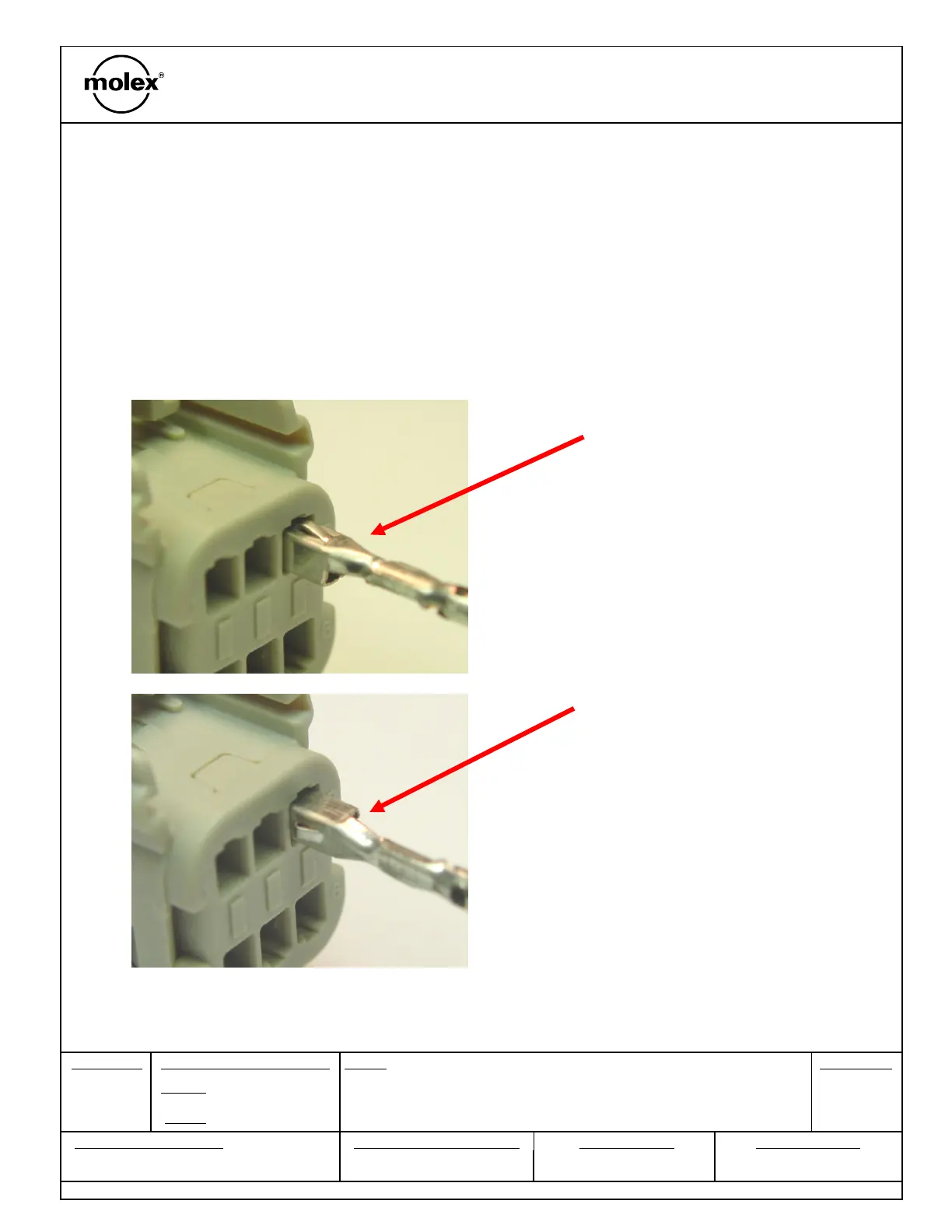
With TPA still in pre-lock position, orient terminal to rear of connector.
Grip the wire no less than 30 mm from the terminal insulation crimp
align the orientation feature and insert through appropriate circuit
opening. If resistance is encountered, retract the terminal and adjust
the angle of insertion. Continue inserting the terminal until it stops and
locks up on the lock finger with an audible click.
90
Mis-orientation
Section 3: Connector Assembly
C. Terminal Installation


 To Next Page