4.3.4. View
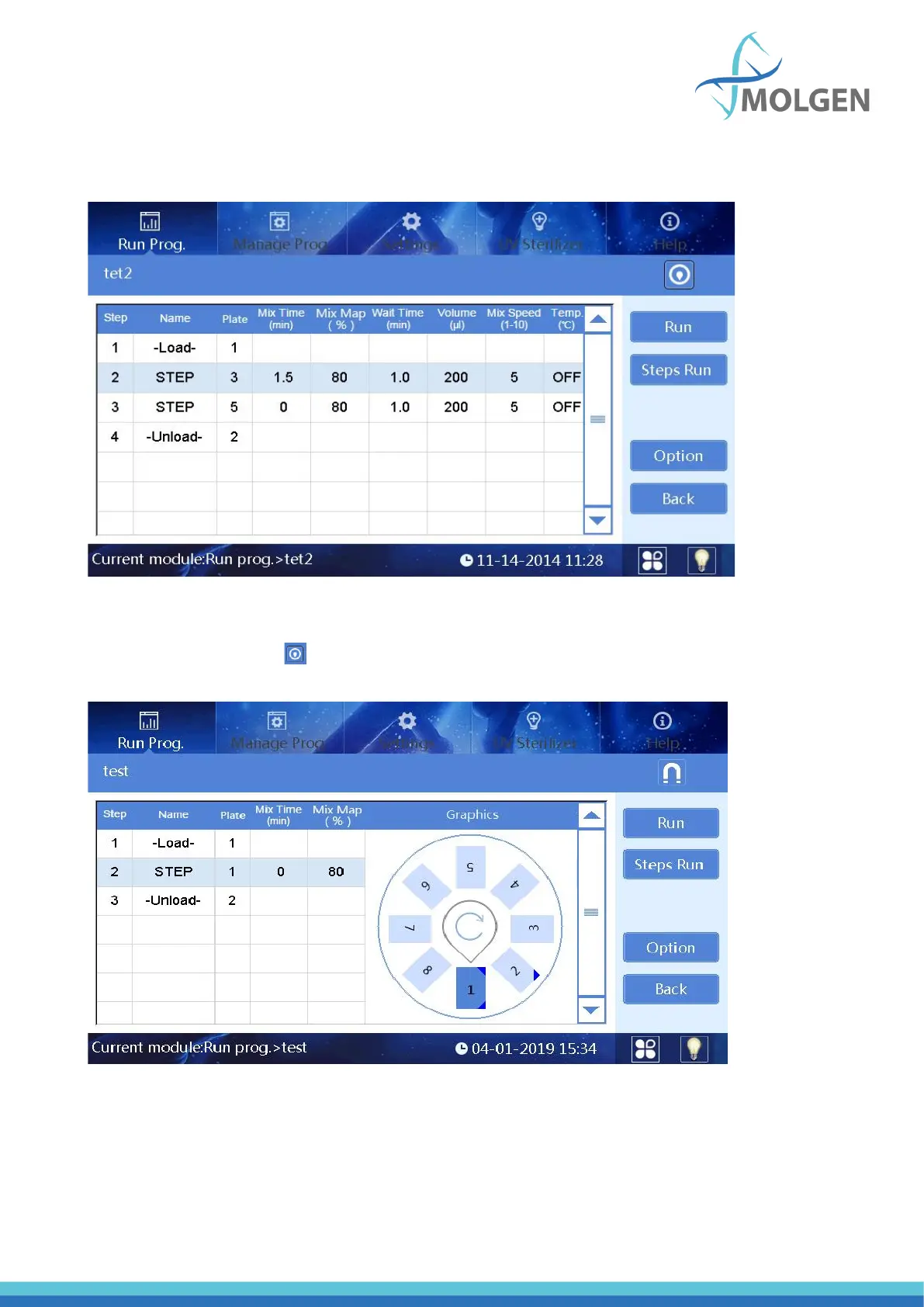
Select the required program (in the list mode or shortcut mode) and click the “View” button to enter
the view interface (see figure 16). Users can view all parameter settings of the program.
Fig 16
Users can click the button in the upper right corner to switch to the graphic display. The highlighted
row indicates the plate position which corresponds to the selected step (see figure 17). If you press
“Steps Run”, the program will run starting from currently selected step.
Fig 17



 To Next Page