4.3.6. Lighting
At the right bottom of the screen, the icon indicates the lighting is on. Users can click the icon to
switch between turning the light on and off.
4.3.7. Auxiliary function
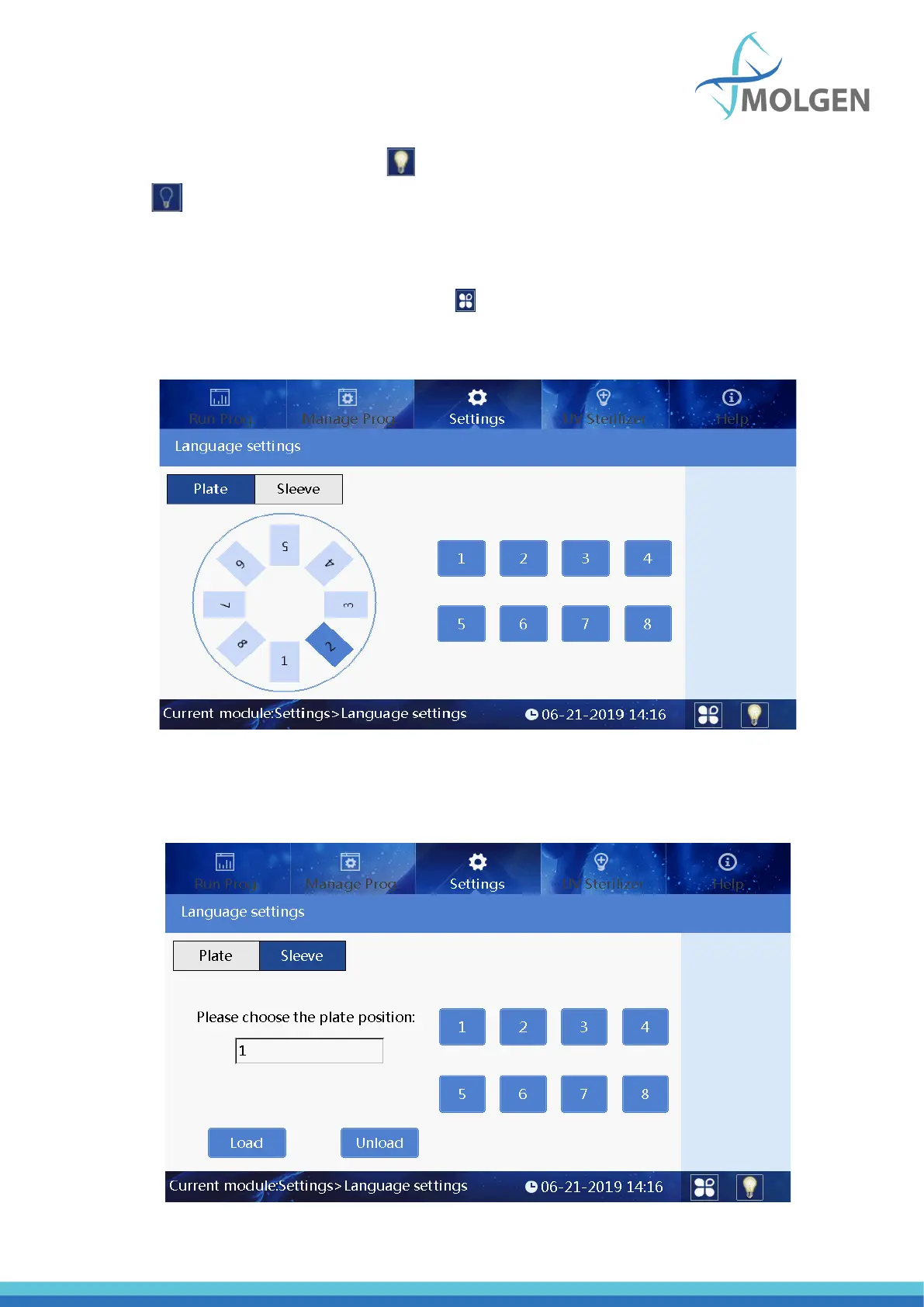
The Plate position switch function and the sleeve automatic installation function can be used with this
software. In the plate position switch interface as seen in figure 32 below, you can click to
choose the plate that you want to switch it to the position at the right transparent window (position 2
in figure 32).
Fig 32
Click the Sleeve button to choose the plate position in which you want to automatically install/uninstall
the sleeve as seen in figure 33 below.
Fig 33



 To Next Page