4.3.6. System Settings
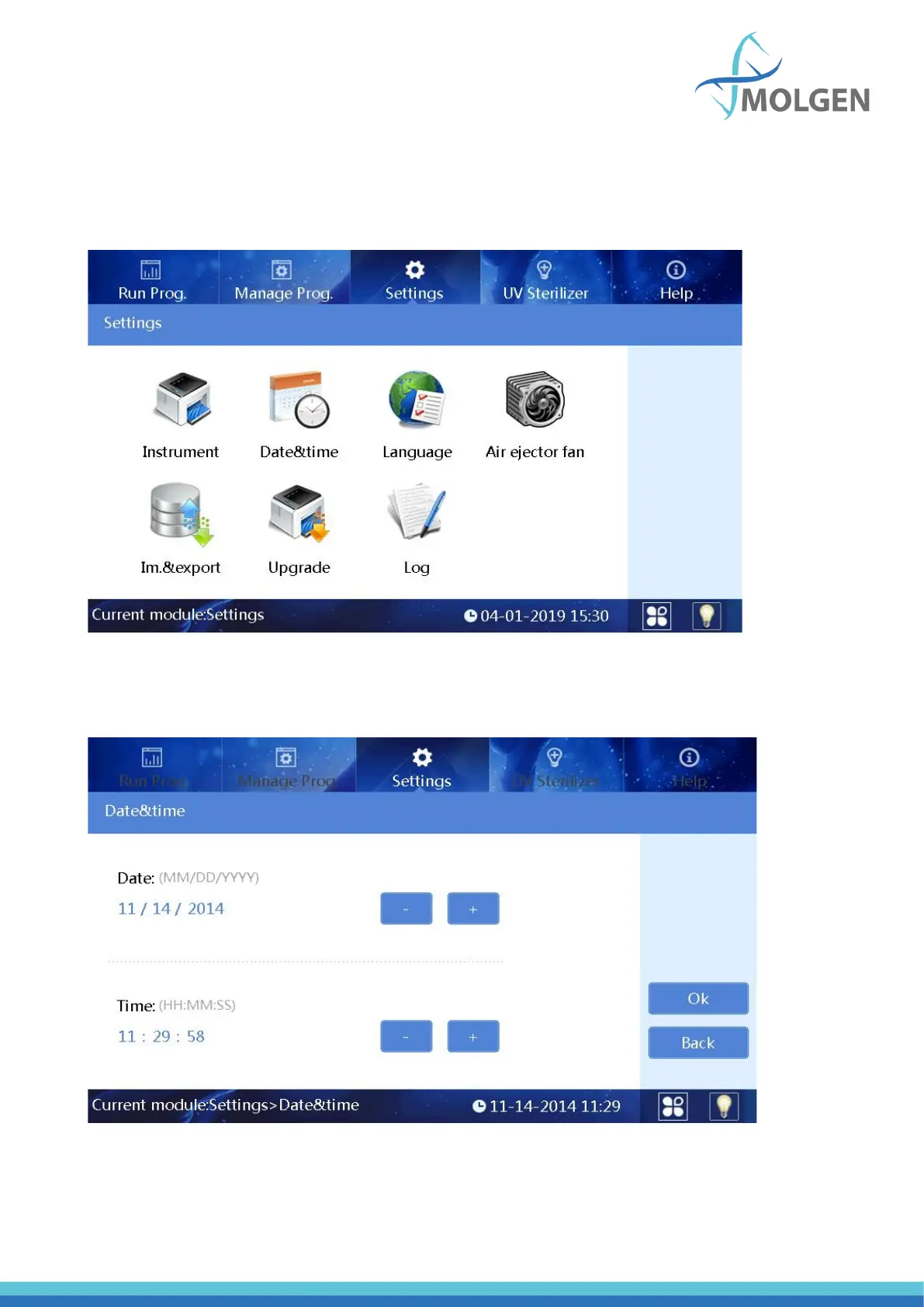
In the “Settings” interface, “Instrument”, “Date&time”, “Language”, “Air ejector fan”, “Import&export”
and “Upgrade” can be tapped to modify their respective settings (see figure 24). In the following
chapters, the separate menus are elaborated upon.
Fig 24
4.3.6.1. System Date and Time
Tap the “Date & time” button to enter the modification interface, as shown in figure 25.
Fig 25
The date and time can be adjusted using “+” or “-” buttons.



 To Next Page