58
3.2 DISPLAY AND ERROR CODES
3. HOW TO USE THE E-BIKE
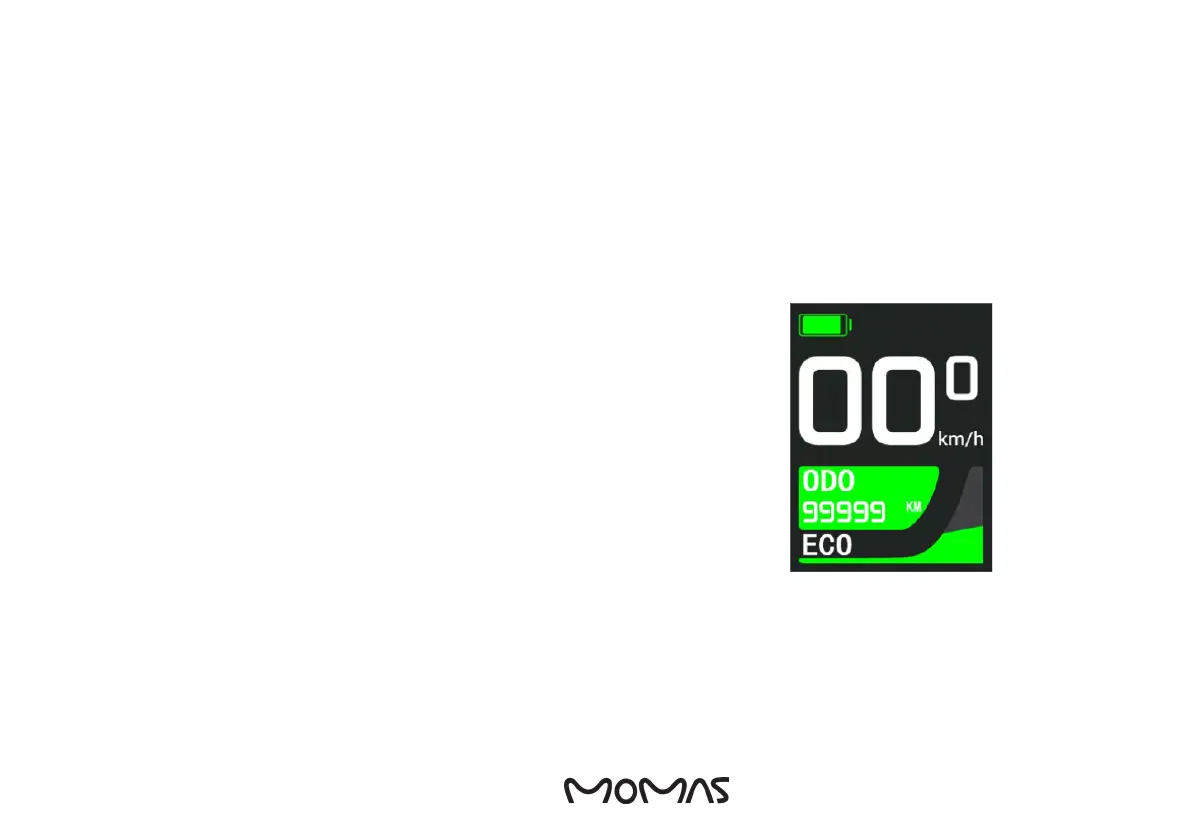
1. Hold down the On/Off button to turn on the electric bike, the display will look
like the picture to the right. It is the same procedure for turning it off.
2. If the e-bike is left untouched for a few minutes, the display will turn off, but it
will still draw power. If left for more than 30 minutes, it will automatically turn off.
3. Press the On/Off button to switch between odometers: Odometer - Single trip
distance - Single trip time - Single trip max speed- Single trip average speed -
Single trip average power - Instantaneous power - Motor power - Riding power
- Remaining distance - Riding frequency.
4. The walk mode is activated by holding down the ”walk assistance” button. If
you release the button, the assistance is stopped.
5. Press ”+” and ”-” to adjust how much assistance the motor provides.
6. Press Light button to turn on the headlight. Rear light will be turned on at the
same time. It´s the same procedure to turn it off.
ATTENTION! The higher the assistance, the higher the battery usage.
ENG


 To Next Page