59
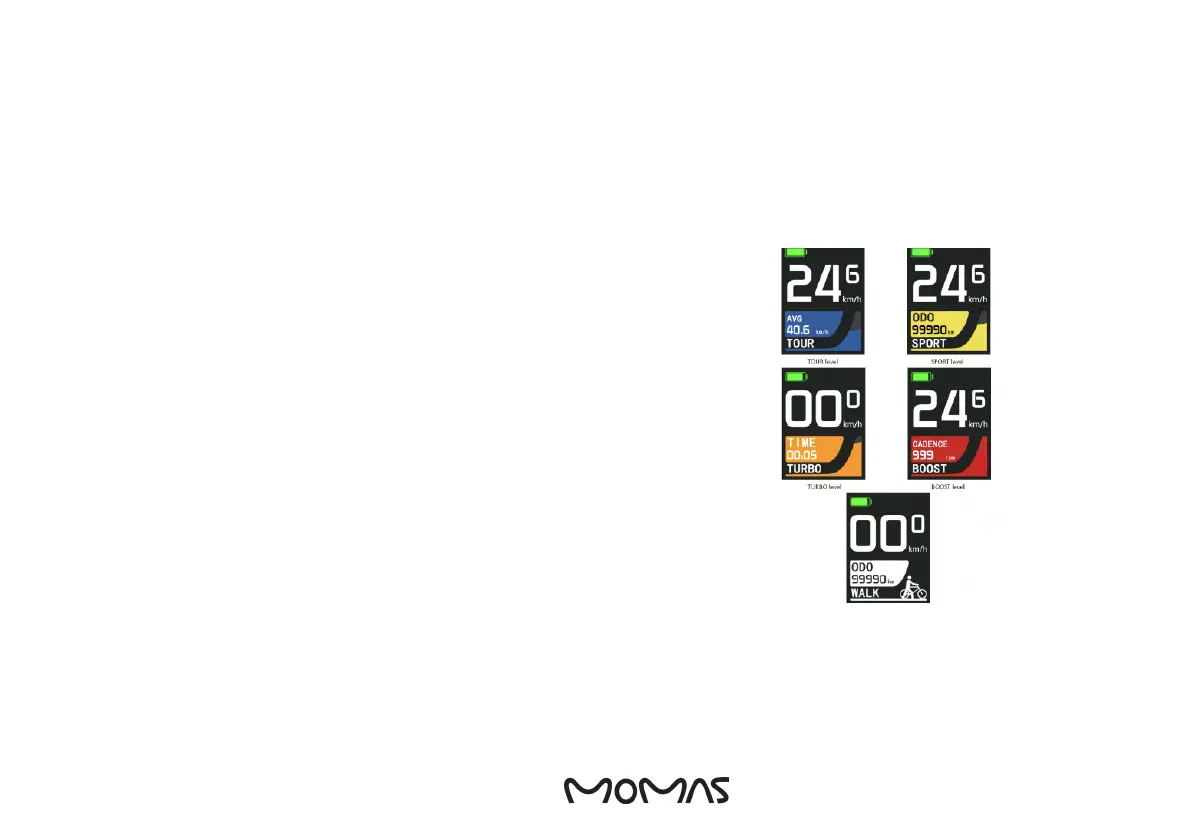
3.2 DISPLAY AND ERROR CODES
3. HOW TO USE THE E-BIKE
To get to the settings, press and hold “+”- and ”-” button at the same time.
Briey press ”ON/OFF”- button in the settings menu to access the sub-options.
In the last option menu, press briey on the ”ON/OFF” button to conrm the
option.
After selecting the “Return” option, press on the ”ON/OFF” button to return to
the previous menu.
Press the ”ON/OFF” button in any settings menu to return directly to the main
screen.
FOR CHARGING YOUR PHONE WITH THE DISPLAY, FOLLOW THESE STEPS:
1. Connect the USB cable to both the mobile phone and the display.
2. Hold the + button for a few seconds until you see an indication on the display
that the mobile is charging.
3. To end charging, disconnect the USB cable from the phone again.
SETTINGS
DRIVING MODES
ENG



 To Next Page