Moneris® Go Plus: Setting up Your Terminal 21
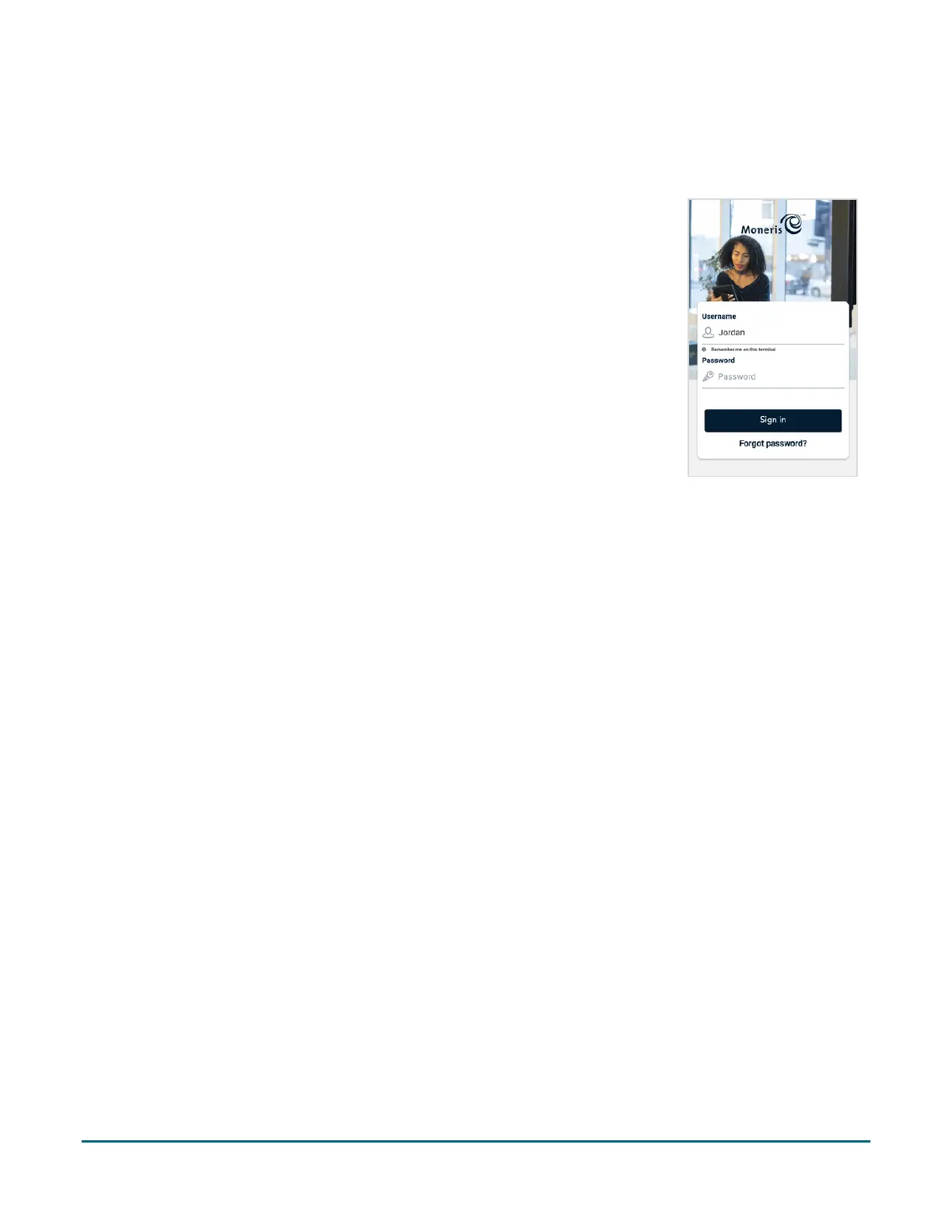
Sign in
To ensure the security and integrity of your terminal, you must sign in before performing any transactions or
other functions.
1. Sign in to the application.
a. Tap the Username field and enter your username.
b. Tap Remember me on this terminal. The application will remember
your username so that you don’t have to enter it the next time you sign
in.
Note: The application will remember the last 3 users who tapped
“Remember me on this terminal”.
c. Tap the Password field and enter the Admin user password you set up
in step 3.
d. Tap Sign in.
2. The application displays the Purchase screen. This is the default screen.
You are ready to process your first sale.
Visit moneris.com/en/support/moneris-go/monerisgoplus
to download
the Using your terminal guide for instructions on using your terminal.
Wireless Communication: 4G and Wi-Fi
The terminal is already set up to use long-range cellular communication (4G or 3G) to send and receive
information to and from the Moneris host. The terminal communicates via 4G by default for faster
communication and uses 3G as a fallback where 4G is not available.
If you set up a Wi-Fi network, the terminal will switch to Wi-Fi when the Wi-Fi signal is stronger. To setup a Wi-Fi
network:
1. Swipe down from the top of the screen to view the dropdown settings panel.
You may have to swipe down again to see the full settings panel.
2. Tap Wi-Fi to turn it on if the Wi-Fi setting is off.
3. Wait for 10 seconds to allow all available networks to load.
4. Tap Base on the dropdown panel.
The terminal displays a list of the available Wi-Fi networks.
5. Tap the network to which you want to connect.
The password screen appears.
6. Enter the Wi-Fi password and tap Connect.



 To Next Page