28 MR6550
User Manual
ENGLISH
01. If the main power switch of the robot is turned off, turn it on.
02. Press the [START/STOP] button if the robot is in operation.
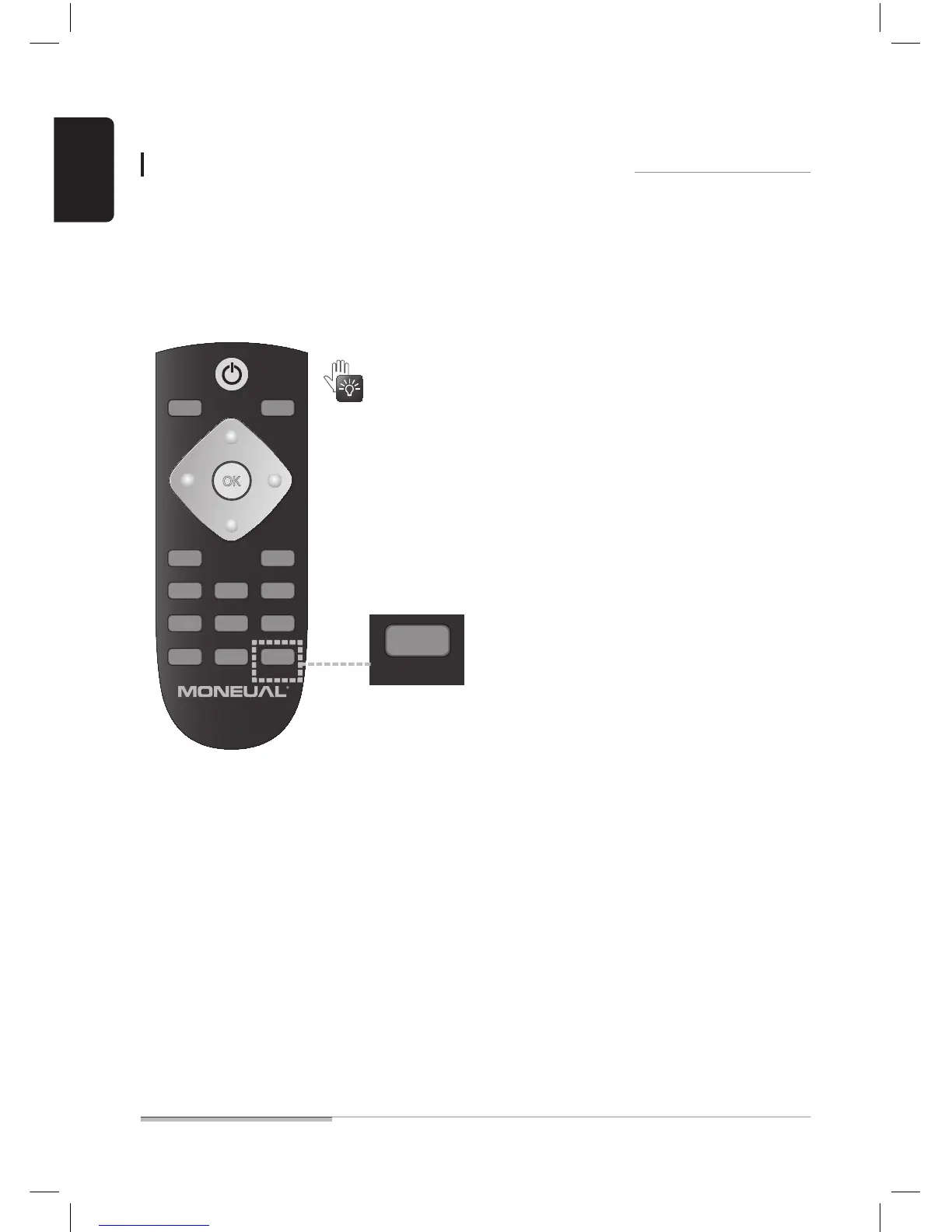
03. Press the button seen below to change the remote controller operation mode for the motion control mode.
When you use the motion control function of the remote controller, you can manually
control the robot with hand gestures.
Cleaning in manual control mode 2 (motion control)
If no operations are detected for five (5) or longer seconds during
motion control, the motion control mode will be released.
OK
CHARGE VACUUM
MODE START/STOP
INTENSIVE SHADOWAUTO
MANUAL MUTECORNER CL.
ROOM SEL. MSRESERVE


 To Next Page