32 MR6550
User Manual
ENGLISH
Check the indicator battery status.
Press any button to check if the lamp blinks; if so, it means the indicator is turned on.
If the battery becomes depleted, pressing the button will cause all the lamps to blink at the same time.
In this case, you will need to replace the battery.
If you do not want to use the indicator, turn off the power switch in the rear to conserve battery.
Using the indicator
The indicator enables you to separate spaces into different zones within your home.
Using the room assortment mode or setting a cleaning area enables you to make good use of
the indicators.
Using the product in room assortment mode
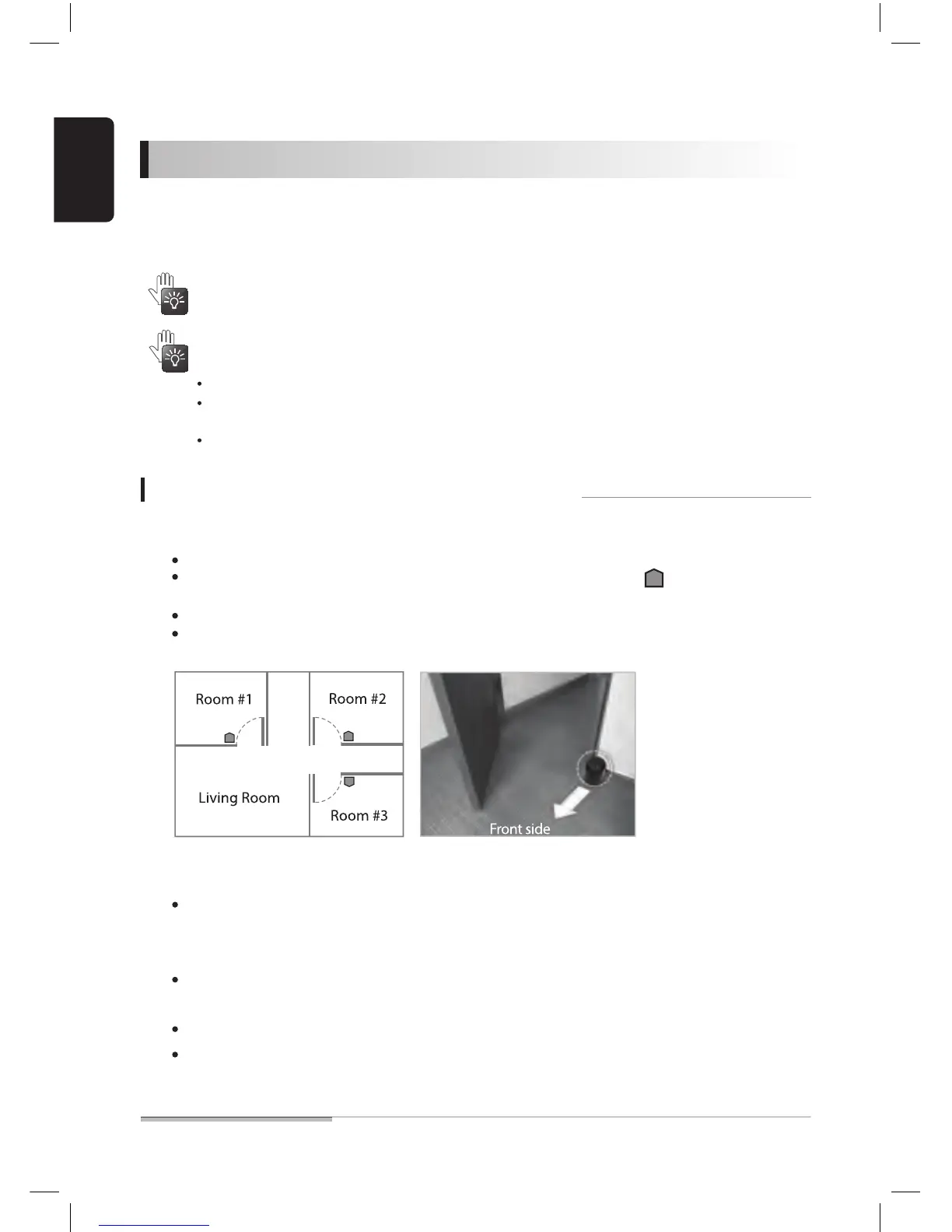
01. Place the indicator against a wall on the floor at the entrance of a room.
02. Press the [MODE] button to set the product into [INDICATOR] mode.
03. Press the [DISTANCE] button to set a door width.
If the indicator is put at a place 10cm or higher than the floor, the robot cleaner may fail to identify it.
In general, you can install the indicator at the position marked with the symbol ( ) seen in the figure
below.
Up to three (3) indicators can be installed.
If there is a door where the indicator is installed, leave the door open so the robot has access to the room.
When the lamp turns on, repeatedly press the button until the [INDICATOR] lamp gets turned on.
Repeat pressing until the setup is made for the door width.
1m(●) - 3m(●●) - 5m(●●●)
For the average home, 1m setup is adequate.
If the distance is set too excessively, the robot cleaner may not function correctly.
Room indicator (option) can be purchased separately by visiting a nearby distributor.


 To Next Page