MR6550
User Manual
33
ENGLISH
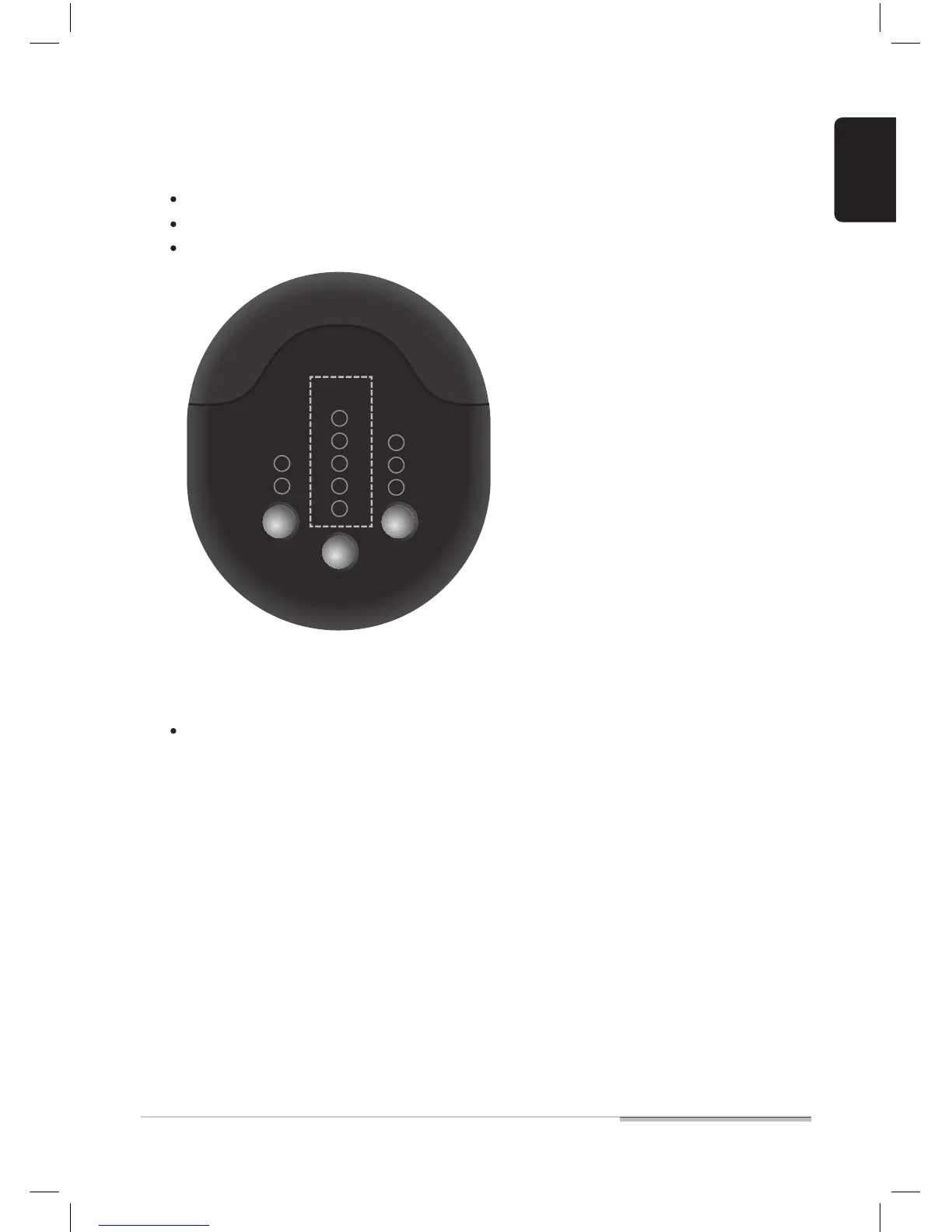
04. Press [INDICATOR NO.] on the indicator to set the room number.
05. Leave the door open.
Each time you press the button, the lamp turns on 1 -> 2 -> 3 -> 4 and -> 5.
The INDICATOR NO that allows robot cleaner to select the room for cleaning is “1 ~ 3”.
If two or more indicators are installed, INDICATOR NO should not be duplicated.
Close the door only if you do not want to clean the room with the indicator installed.
INDICATOR
NO.
DISTANCE
5M
3M
1M
5.
4.
3.
2.
1.
MODE
CLEAN
AREA
INDICA
TOR


 To Next Page