16
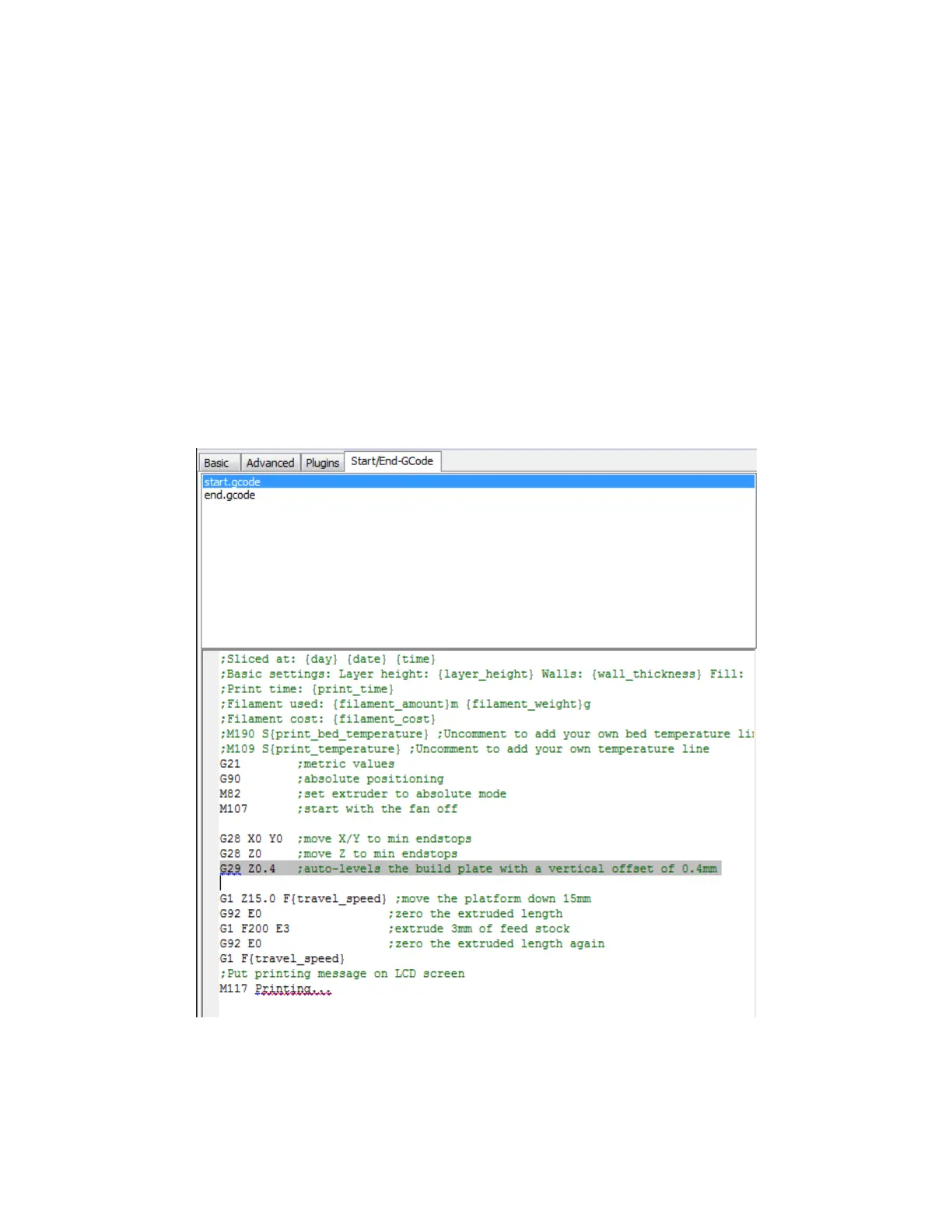
15. Click the Start/End-GCode tab.
16. Add the following line to the start.gcode code, after the 2nd G28 line (the new line
is highlighted in the image below):
G29 Z0.4 ;auto-levels the build plate with a vertical offset of 0.4mm
The models on the included microSD™ card have this line already inserted, but if
you will be making your own model files, you will need this line to instruct the
printer to activate the auto-leveling feature. The 0.4 value represents the amount of
vertical offset intended to compensate for the thickness of the build plate mat. If
the first layer is too tight, you can increase this value, while if the first layer is too
loose, you can decrease it. This value has a 0.1mm tolerance.


 To Next Page