8
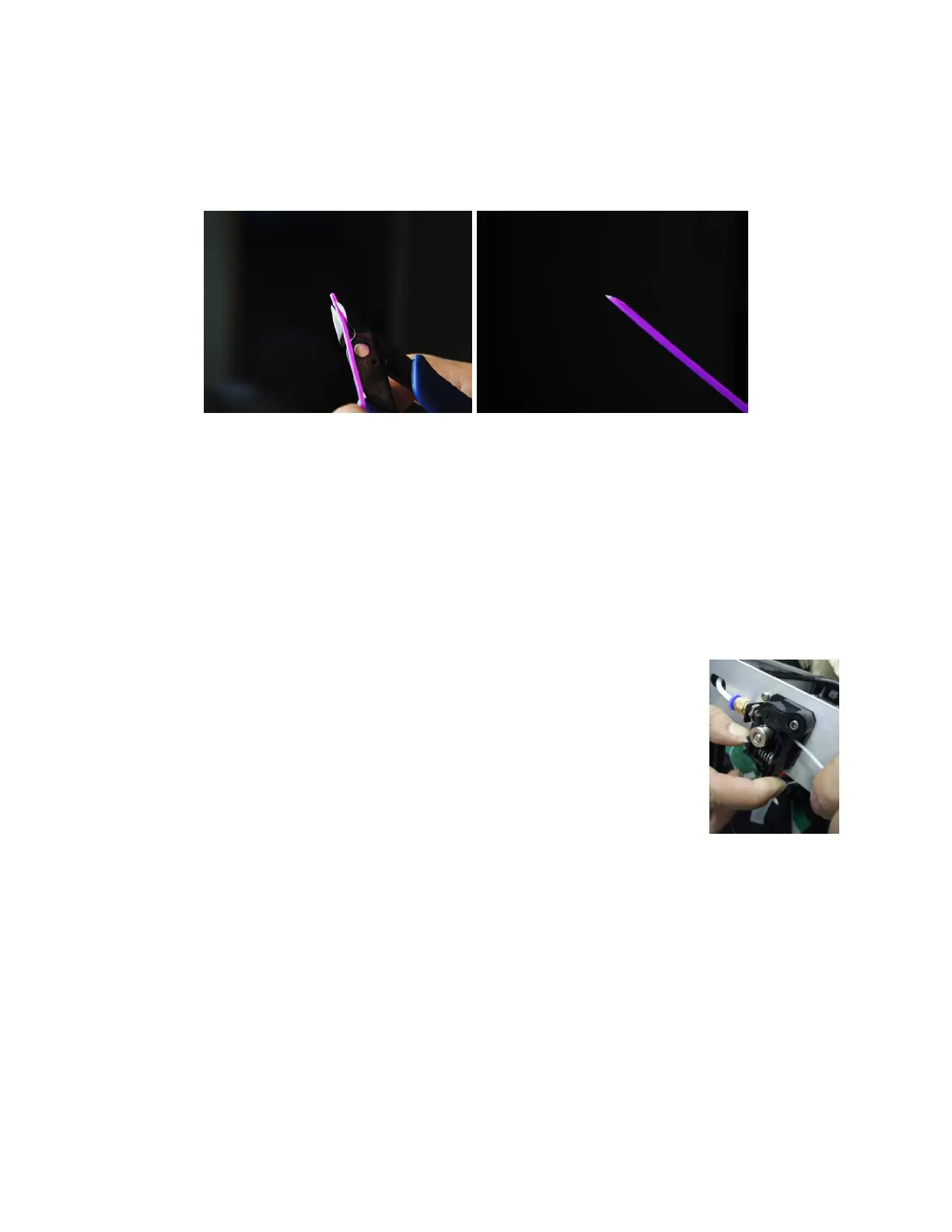
7. While the printer is heating, open your filament. Using a pair of scissors or side
cutters, diagonally snip the end of the filament to make a point, as shown in the
images below. Place the spool on the Filament Holder.
8. Once the target temperature is reached, press the bottom button twice to select
the Back option, then press the center button to return to the previous menu page.
9. Press the bottom button to highlight the Move option, then press the center
button to enter the Move menu.
10. Press the bottom button three times to highlight the Extruder option, then press
the center button to select it. The Extruder option will have a red outline around it,
indicating that it is active.
11. While squeezing the lever on the Feed Mechanism, insert the
filament and push it into opening. Keep pushing until you feel
resistance. Release the lever on the Feed Mechanism.
12. Press the top button to feed filament into the printer. Allow the
motor to run until it stops feeding. Repeat this process until
filament starts to extrude out of the nozzle.
13. Using the included plastic scraper, clean the extruded filament from the nozzle and
build platform.
14. Press the center button to deselect the Extruder entry.
15. Press the bottom button twice to highlight the Exit entry, then press the center
button to return to the previous menu.


 To Next Page