9
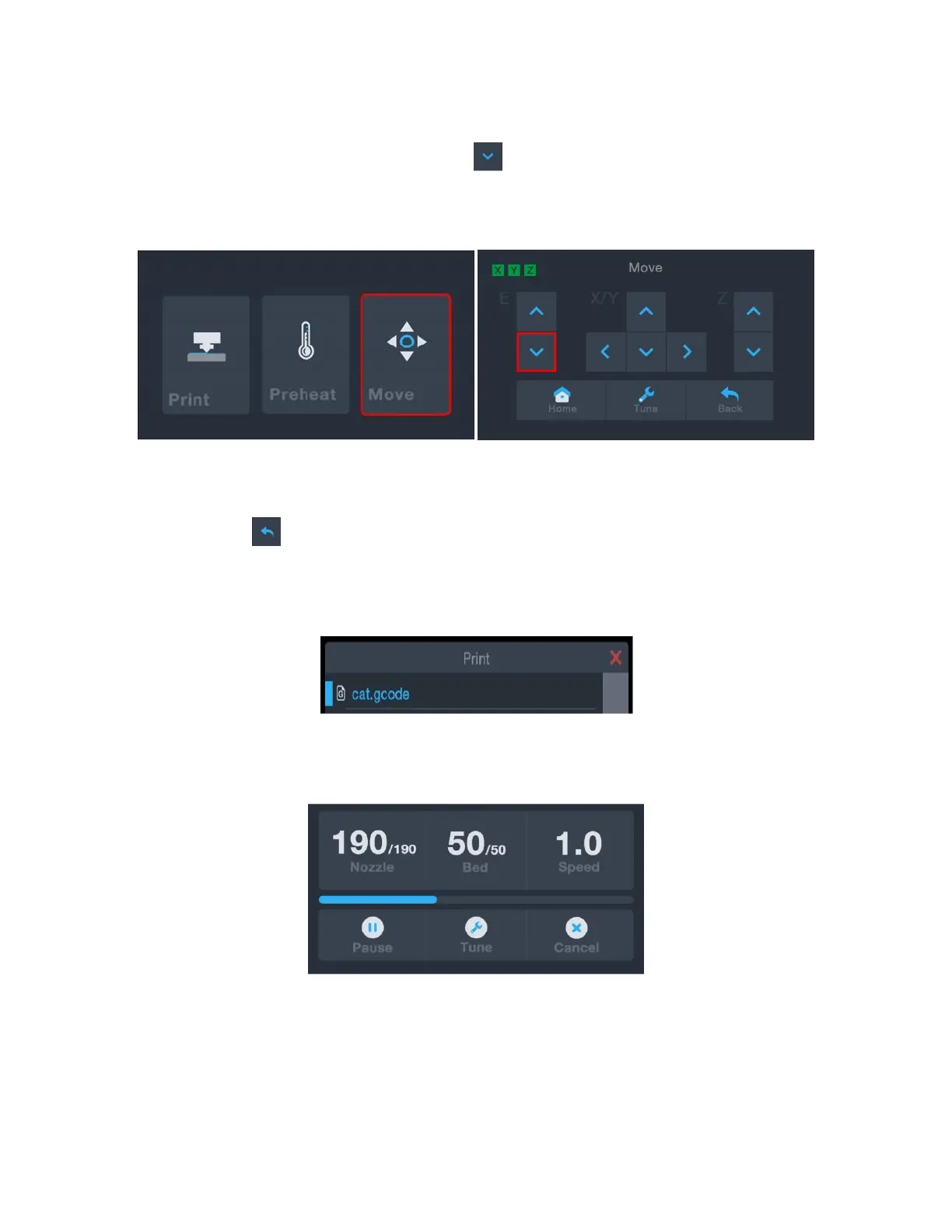
14. If the Main Menu is displayed, touch the Move button to enter the Move Menu. If
already on the Move Menu, touch the button (enclosed in red in the image
below) to start feeding filament into the extruder. Continue touching the button
until several centimeters of filament have been extruded.
15. Using the included plastic scraper, clean the extruded filament from the nozzle and
build platform.
16. Touch the button to return to the Main Menu, then touch the Print button to
display the contents of the microSD™ card. Touch the cat.gcode entry to begin
printing the model.
17. After the first layer has been printed, touch the Pause or Cancel button to stop the
print process.


 To Next Page