39
E
Clock setting function
This function is used to set the clock time.
To set the clock, access the ”SET” page in the menu.
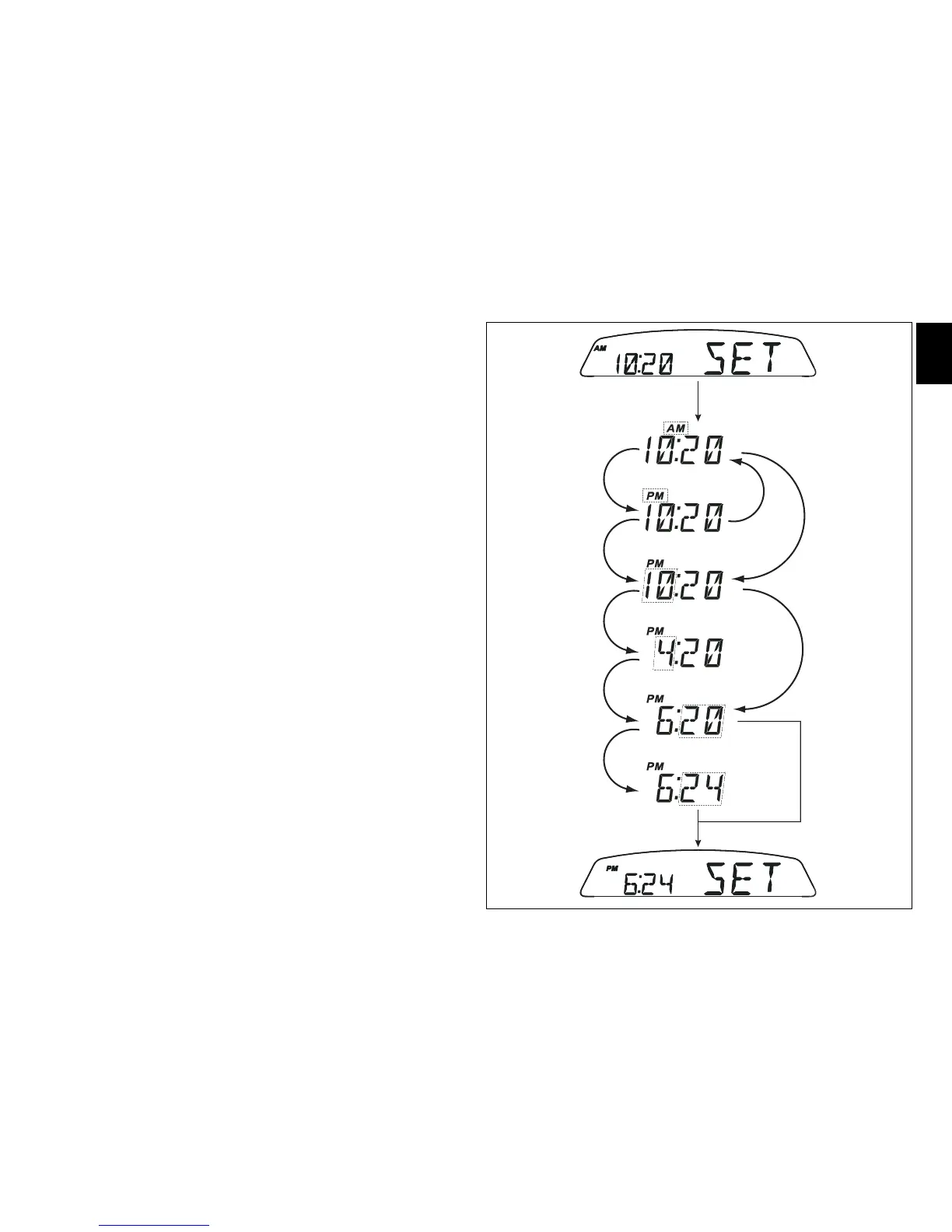
Setting the time:
Holding switch (1, fig. 10) pressed in position B “▼“ for 3
seconds in this menu page gives access to the setup mode.
When you access this function, the word ”AM” flashes; if
you press switch (1, fig. 10) in position B “▼” the message
“PM” flashes; if you press switch (1, fig. 10) in position B
“▼” the mode will go back to previous setting (if it is 00:00,
when toggling from “AM” to “PM”, 12:00 will be displayed).
Pressing switch (1, fig. 10) in position A ”▲” gives access to
the hour setting mode; hours start to flash. Each time you
press the button in position B ”▼”, the digit will increase by
one hour. If the switch is held pressed in position B “▼” the
number increases cyclically in steps of one hour every
second (when the switch is held depressed, the hours do not
flash).
Pressing switch (1, fig. 10) in position A ”▲” gives access to
the minute setting mode; minutes start to flash. Each time
you press the button in position B ”▼”, the digit will increase
by one minute. If you hold the switch down in position B
“▼”, the count increases cyclically in steps of 1 minute every
second. If the button is held depressed in position B ”▼” for
over 5 seconds, minutes will increase by 1 minute every
100 ms (while the button is held depressed in position B
”▼”, seconds will not flash).
Pressing the button in position A ”▲”, exits setup mode and
the new time is displayed.



 To Next Page