35
E
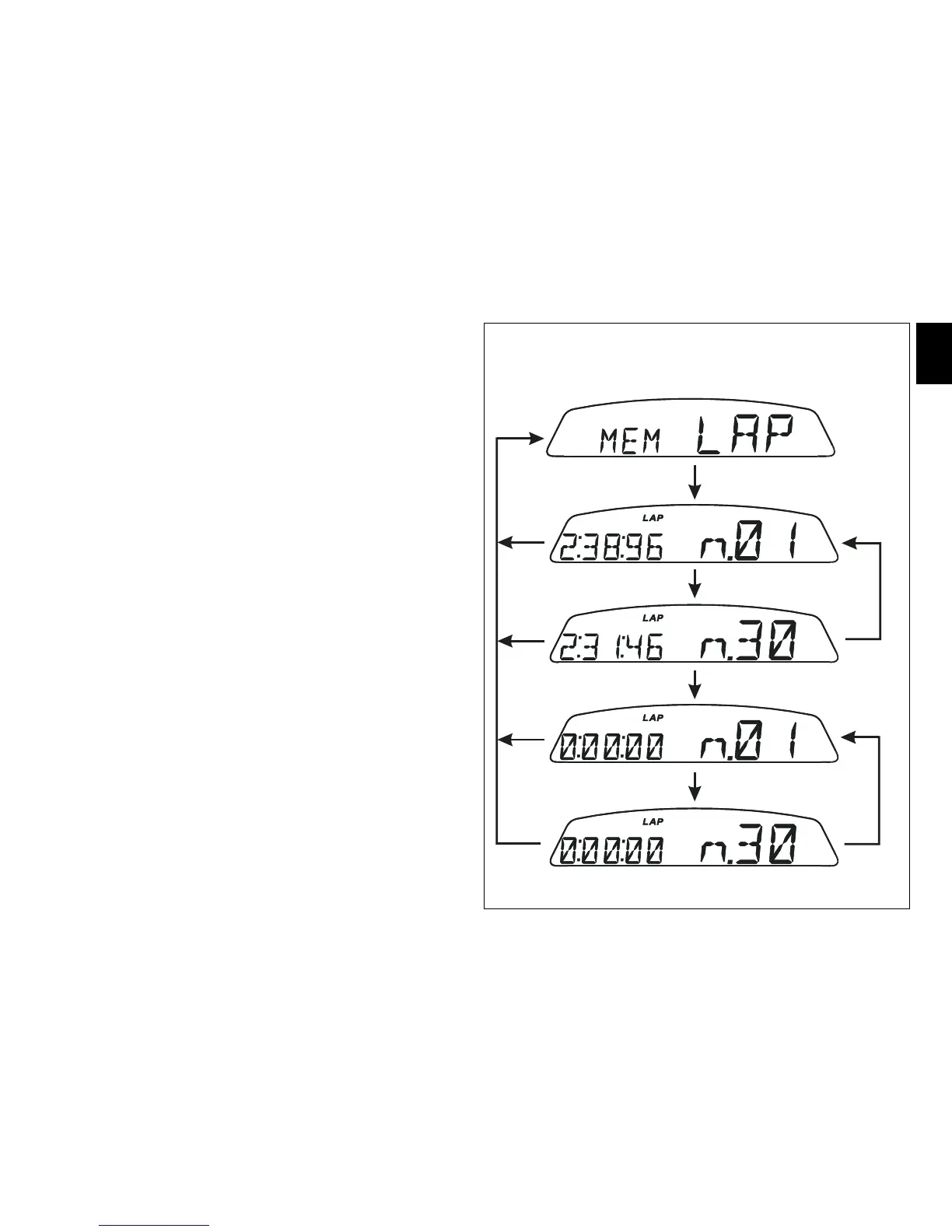
Stored data display (LAP Memory)
Displays data stored using the LAP function: lap number and
time.
To view stored lap times, enter the menu and go to page
”LAP MEM”.
Holding switch (1, fig. 10) pressed in position B “▼“ for 3
seconds in this menu page accesses the ”1
st
lap” view
mode. The display will show the lap number, lap time, MAX
speed and the MAX rpm reached for the lap in question.
Press switch (1, fig. 10) in position B “▼“ repeatedly to scroll
through the 30 laps stored until returning to the 1
st
lap.
If you press switch (1, fig. 10) in position B “▼“ for 3 seconds
while the saved times are displayed, the display immediately
resets all the saved times; and the LAP function is disabled
automatically if active.
The MAX speed saved is the maximum speed indicated on
the display in Lap function.
To exit display of the lap times memory press switch (1, fig.
10) in position A “▲”.
If no lap times are saved in memory, all 30 lap times will be
displayed as “0.00.00”.
If the engine trips the rev limiter during a lap, the “REV
LIMITER- OVER REV.” (9, fig. 4) light will come on during the
display of the lap time.



 To Next Page