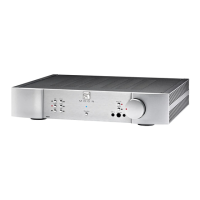
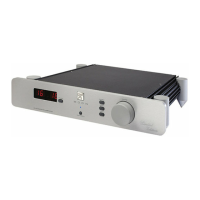
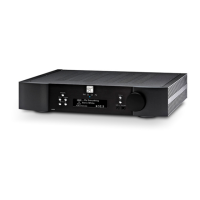
MOON 220i Integrated Amplifier
Operating the 220i
We recommend that you leave your MOON 220i Integrated Amplifier powered up at all times to maintain optimal
performance. In the event that you plan to be away from your home for a few days, powering off the Integrated Amplifier
may not be a bad idea. Once fully “broken-in”, please keep in mind that your 220i will require several hours of playing time
before it reaches its peak performance after you’ve powered it up again.
Making the AC Connection
Connect the supplied AC power cable to the IEC receptacle, located on the rear panel of the integrated amplifier’s chassis.
Ensure that the AC wall outlet you use has a functioning ground. For the best sonic performance, it is preferable that you
plug your MOON 220i directly into a dedicated AC outlet and avoid using an extension cord. In order to obtain the maximum
performance from your audio system, we strongly recommend that the detachable power cord not come into physical contact
with any of the interconnect and speaker cables running to and from your 220i. In the event that this can’t be avoided, you
should ensure that any cables coming into contact with each other are crossed at a ninety degree angle to minimize the
contact area.
Turning on your MOON 220i for the first time
Prior to turning the integrated amplifier on for the first time, make sure that every cable is properly connected to avoid any
problems. Then turn on your integrated amplifier in the following manner:
1) Flick the main rocker switch labeled “POWER” to the ‘1’ (on) position on the rear of the 220i.
2) Press the push button labeled “Standby” on the 220is front panel. The blue LED will illuminate.
On and Off Sequence
To avoid having any annoying noises (ie. “thumps” and “pops”) emanate from your speakers when powering your 220i on or
off, you should
1) Always power up your 220i integrated amplifier after powering up your source component(s).
2) Always power down your 220i before powering down your source component(s).
____________________________________________________________________________________
Operating the 220i 9


 To Next Page