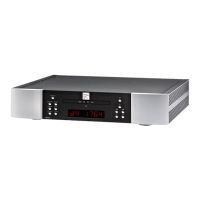
MOON Eclipse CD Player
Front Panel Controls (continued)
The “Phase” button inverts signal phase by 180 degrees. This is accomplished in the digital domain to
maintain both the integrity of the audio signal and the shortest possible signal path. Since some
compact discs are recorded out-of-phase, this function may result in a noticeable improvement in the
realism of the sound.
The “Digital Input” button is used to select an external digital source which must be connected to the
BNC S/PDIF digital input on the rear panel. The MOON Eclipse will then function as a Digital-to-
Analog converter.
The “Random” button, when pressed, will play each of the tracks on a compact disc in a completely
random order, as opposed to the sequential order as they appear on the disc.
Press the “Scan” button and the Eclipse will play the first ten (10) seconds of each individual track on
the compact disc currently loaded into the player.
The “Time” button provides for three (3) different display modes in the aforementioned large digital
display window. By default, the Eclipse will display the elapsed time of the track currently playing.
Pressing the “Time” button once will display the elapsed time of the whole compact disc currently
playing; Pressing “Time” again will display the time remaining on the whole compact disc (i.e. the
length of material not yet played); Pressing “Time” again will return the display to the default of
elapsed time of the current track.
The “Prog” button allows you to program a selection of tracks in the order that you wish to listen them.
After loading a compact disc into the Eclipse, select the first track you wish to listen to, using the top
panel controls (discussed in the previous section) and press “Prog”. To program a second track, select
it and press “Prog” again. Press this button after each selected track number. Once you’ve completed
programming your track selection(s), the digital display window will show the number of tracks that
have been programmed and their total time. To begin playing your programmed selection, simply press
the
X button. Pressing will only suspend the playing of the programmed selection. Pressing a
second time will clear your program selection from the Eclipse’s memory. As well, opening the top
drawer at any time will also clear your program.
The “Repeat” button performs three (3) functions: Pressing “Repeat” once will result in the entire disc
being played again once it has reached the end of the final track. Pressing “Repeat” a second time will
result in the track currently playing being repeated again once it has ended. To cancel this mode,
simply press the “Repeat” button a third time. Finally, if you have created a program of selected
tracks, pressing “Repeat” once will result in your entire program repeating itself once it has completed
its cycle; Pressing “Repeat” a second time will result in the current track from your program being
played again once it has ended; Pressing “Repeat” a third time will terminate the “Repeat” mode.
____________________________________________________________________________________
Front Panel Controls 12


 To Next Page