13
Rev. 1.0
08/12/2023
400-820-9661
STF-4X-ECX Hardware Manual
4 Mounting the Drive
Use the M3 or M4 screw to mount the SSDC series drive. The drive should be securely fastened
to a smooth, flat metal surface will help conduct heat away from the chassis. If this is not possible,
forced airflow from a fan maybe required to prevent the drive from overheating.
• Never use the drive in a place where there is no air flow or the surrounding air is
more than 40
℃
.
• Never put the drive where it can get wet or where metal or other electrically
conductive particle particles can get on the circuitry.
• Always provide air flow around the drive. When mounting multiple SSDC drives near
each other, maintain at least 2cm of space between drives
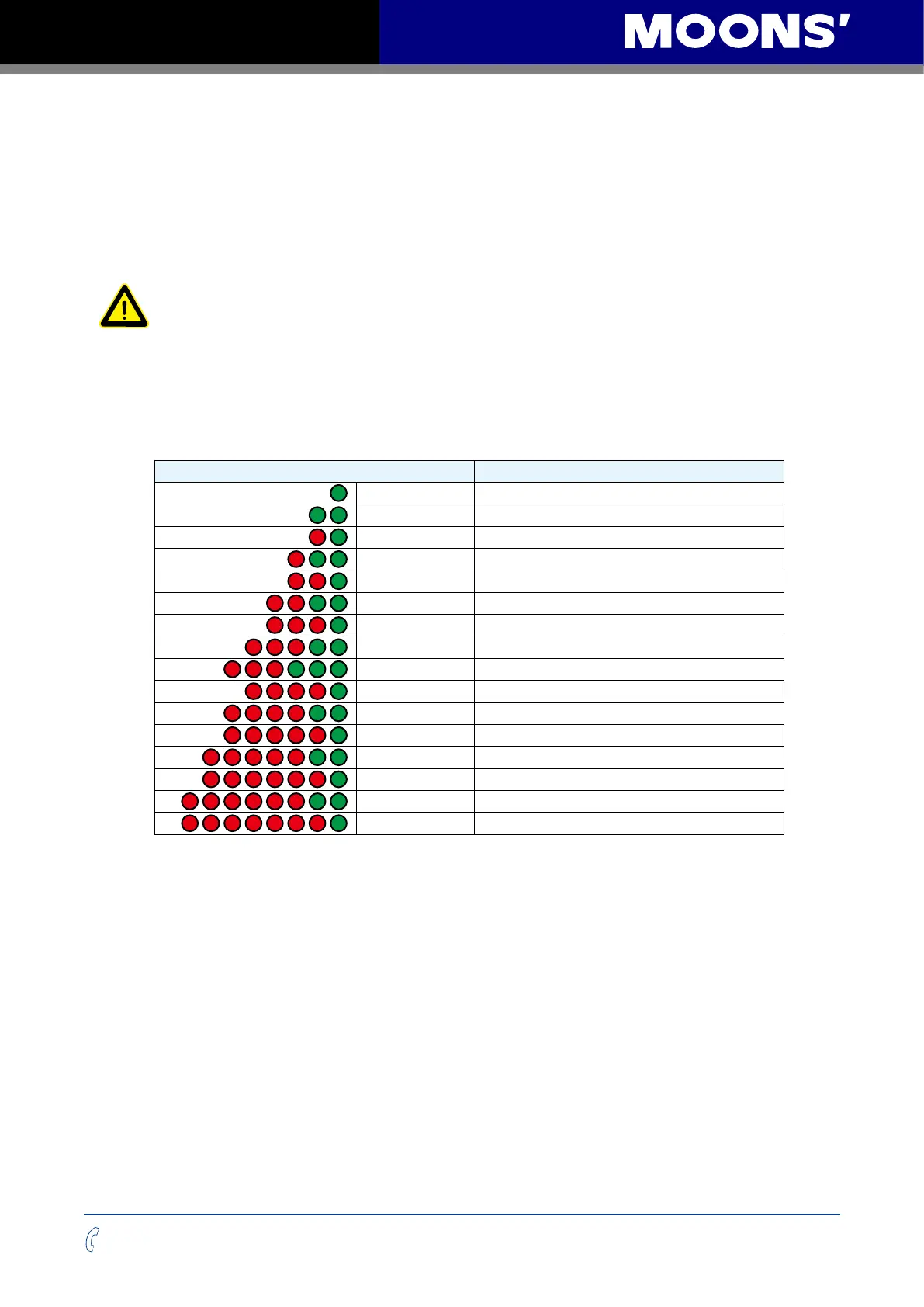
5 Alarm Code
Code Error
Solid green No alarm, motor disabled
Flashing green No alarm, motor enabled
1 red, 1 green
Position limit
1 red, 2 green Move while disabled
2 red, 1 green CCW limit
2 red, 2 green CW limit
3 red, 1 green
Drive over temperature
3 red, 2 green
Internal voltage out of range
3 red, 3 green
Blank Q segment
4 red, 1 green
Power supply over voltage
4 red, 2 green Power supply under voltage
5 red, 1 green
Over current
5 red, 2 green Current foldback
6 red, 1 green
Open winding
6 red, 2 green
Bad encoder
7 red, 1 green Communication error
NOTE: Items in bold italic represent drive faults, which automatically disable the motor.


 To Next Page