14
Rev. 1.0
11/28/2017
STF-D/IP Hardware Manual
400-820-9661
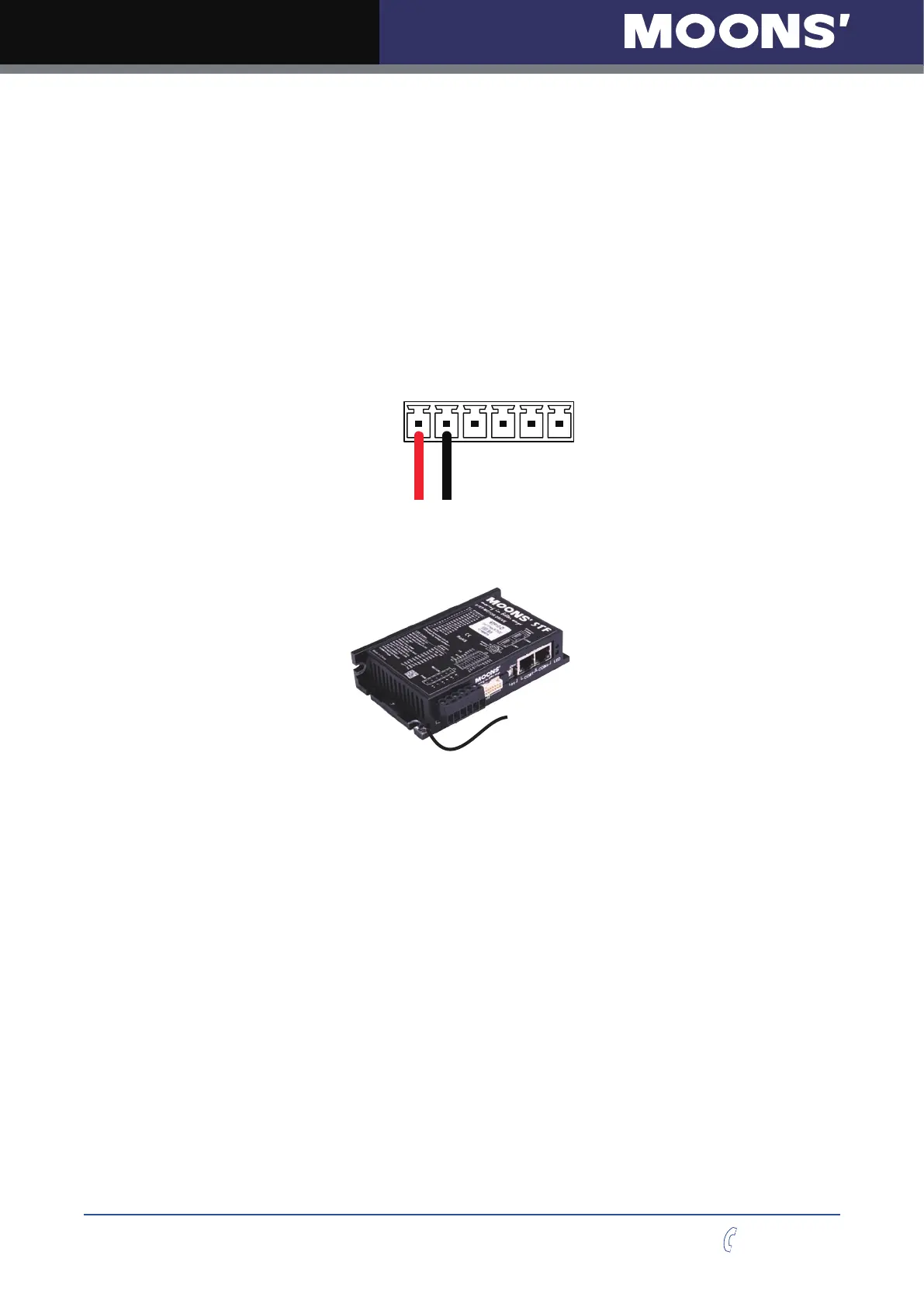
2.3 Connecting the Power Supply
Connect power supply
“
+
”
terminal to the drive terminal labeled
“
V+
”
.
Connect power supply
“
-
”
terminal to the drive terminal labeled
“
V-
”
.
STF03 accepts DC voltage range from 12 – 48VDC
STF05 accepts DC voltage range from 24 – 48VDC
STF06 accepts DC voltage range from 12 – 48VDC
STF10 accepts DC voltage range from 24 – 70VDC
Warning: DO NOT reverse the wires
NOTE: DO NOT apply power until all connections to the drive have been made
V+
J1
V-
Power Connector
Ensure a proper earth ground connection by using the screw on the left side of the chassis.
To Earth Ground
Please read
“
choosing a power supply
”
for more details.



 To Next Page