Cephalo Exposures
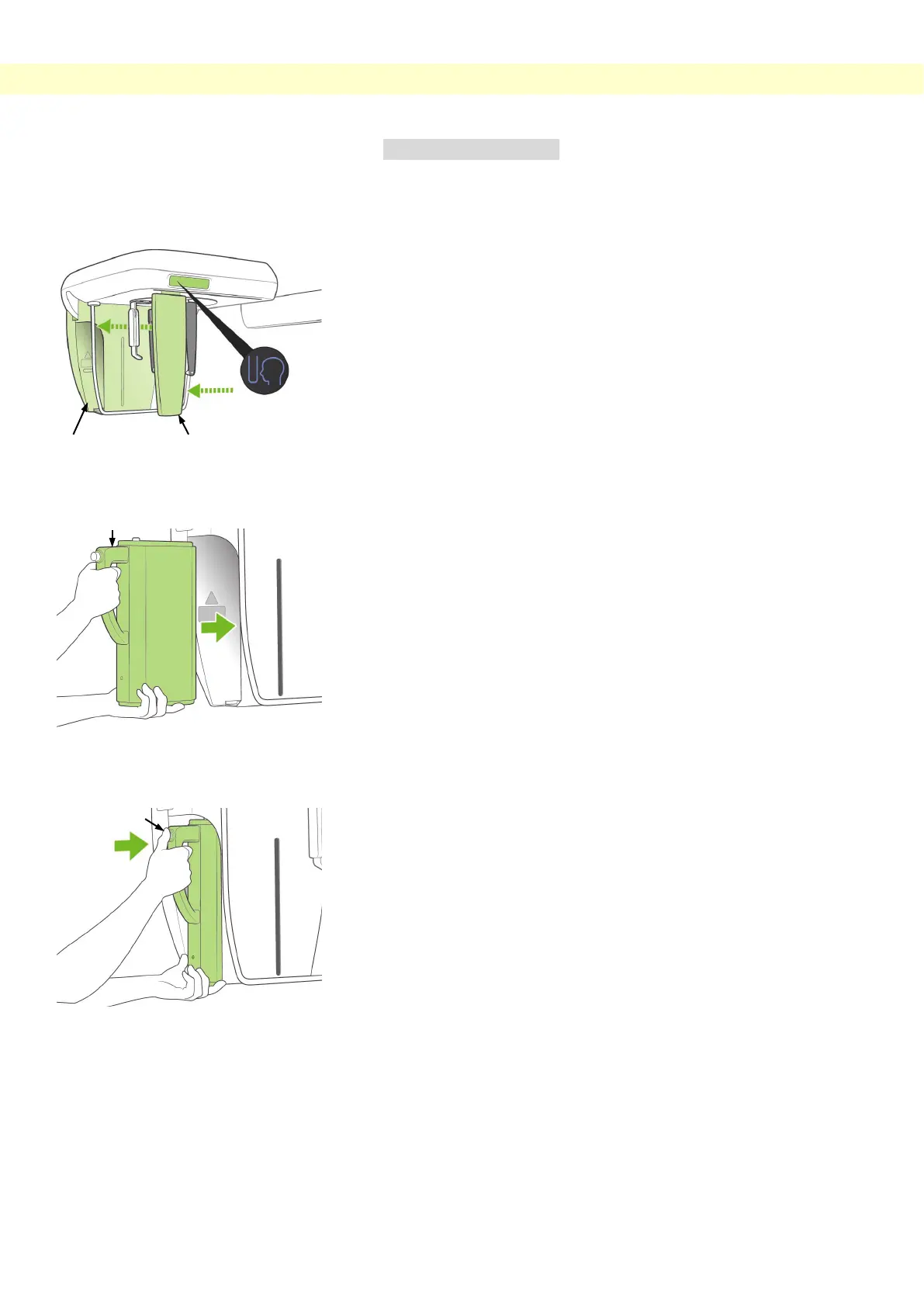
(2) Cassette Insertion
* Insert the PAN/CEPH cassette, used for both panorama and
cephalo exposures.
1. Press the Cephalo Start Position Key. Both the cassette
holder and the secondary slit plate will move forward.
2. Hold the cassette with handle towards the front. Use the
other hand to support the bottom of the cassette and gently
slide the cassette into the holder.
3. When the cassette stops, press the button and slide the
cassette in slightly more, then release the button.

 To Next Page
 Loading...