11
Notice:
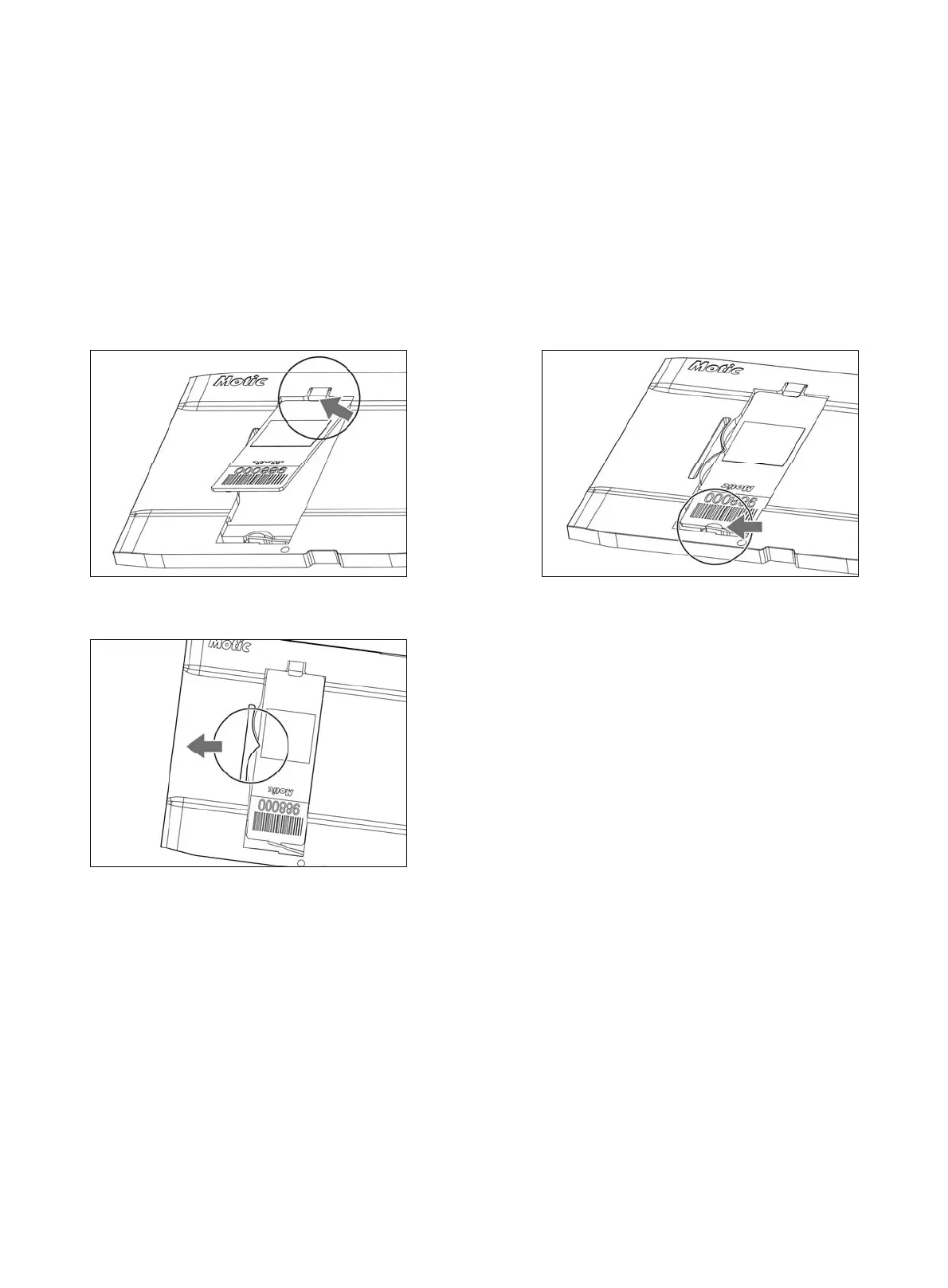
a. Make sure the backside of clip Fig. 7-① and Fig. 7-② are pressed on the top of the slide.
b. Make sure the clip Fig. 7-③ pushes against the left side of the slide. (Fig. 8c)
c. After inserting the whole slide into the slide slot, need to check if the slide is loaded onto the flat
mounting pads.
d. Do not touch the cover glass on the slide during the whole process.
(Fig. 8a) (Fig. 8b)
(Fig. 8c)
2.3.1.2 Slide Unloading Procedure:
Hold the slide with index finger and thumb, unload the slide towards direction of clip Fig. 7-① to the
bottom until the other side can be lifted (Fig. 9a), then lift the slide upward with 15° degree to move out of
the slide position (Fig. 9b)


 To Next Page